A Good Till Triggered (GTT) order remains active for up to 3 months until the trigger price is met. Once triggered, a limit order is placed, provided there are sufficient funds in your trading account. GTT orders automate the buying or selling process, eliminating the need for constant market monitoring. Notifications are sent to your registered email when a GTT is triggered and an order is placed.
Watch GTT order DEMO video in English >
Watch GTT order DEMO video in Hindi >
Types of GTT Orders:
-
Buy GTT
# Used to set a trigger to buy stocks.
# When the stock reaches the trigger price, a buy order is placed at the specified limit price. -
Sell GTT
# Used to sell holdings, short-sell F&O contracts, or execute intraday EQ trades.
# For holdings, the sell order is executed only if the shares are available in your demat account. -
Sell GTT with OCO (One Cancels Other)
# Combines two conditions: a target price and a stop-loss.
# When one order is executed, the other is automatically canceled, helping manage risk and lock in profits.
To place GTT orders via the Stocko App, please follow these steps
1 – Login Stocko App
2 – Click on Orders >> Select GTT >> Click on Create GTT.
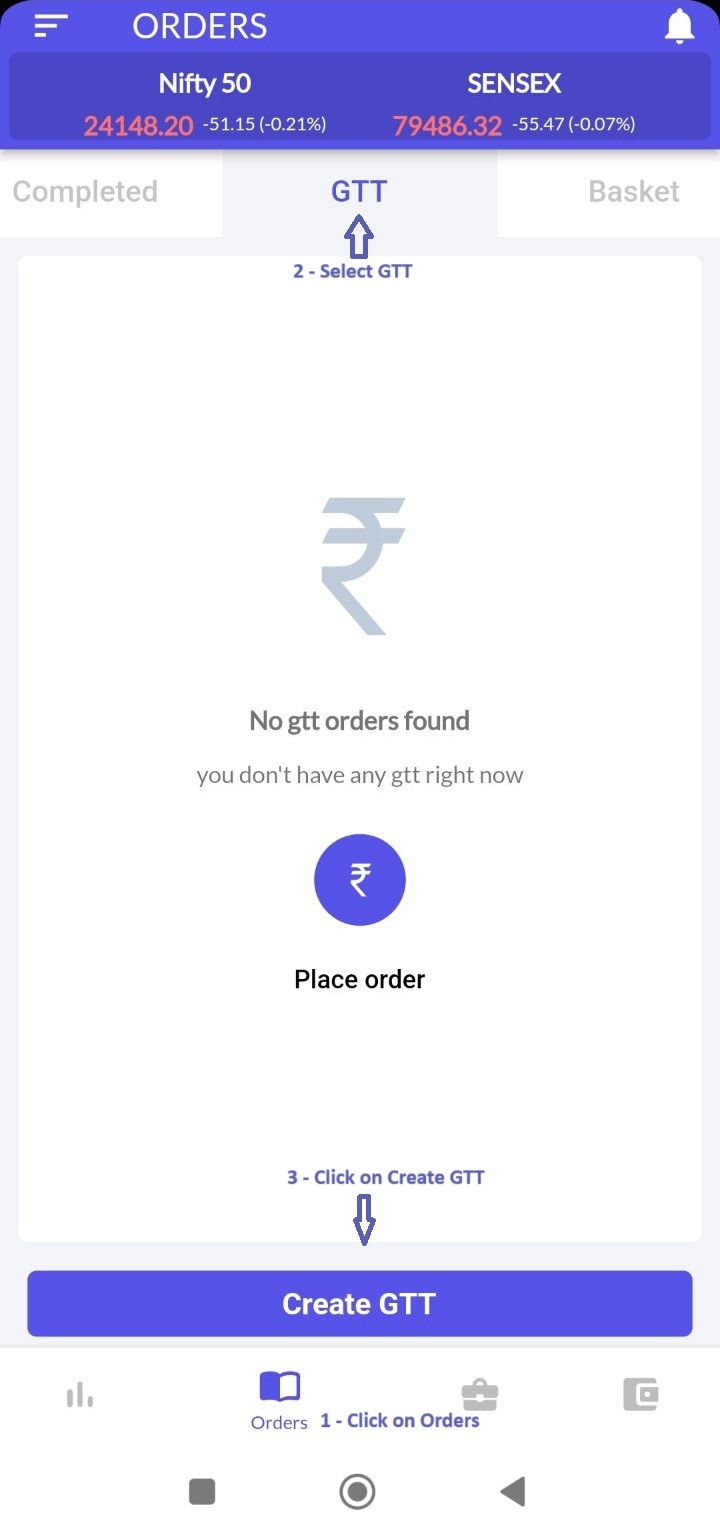
3 – Search for and add an instrument.

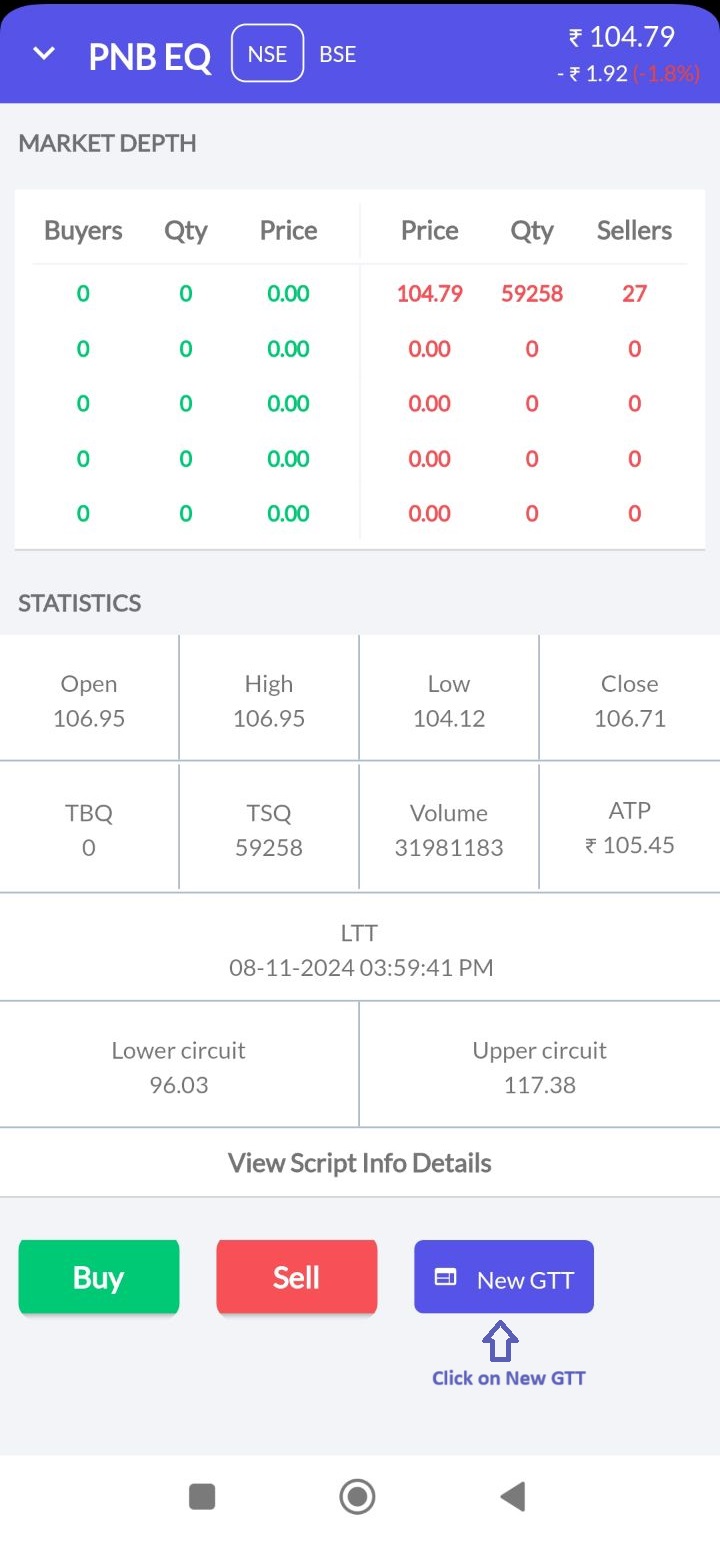
4 – Select New GTT
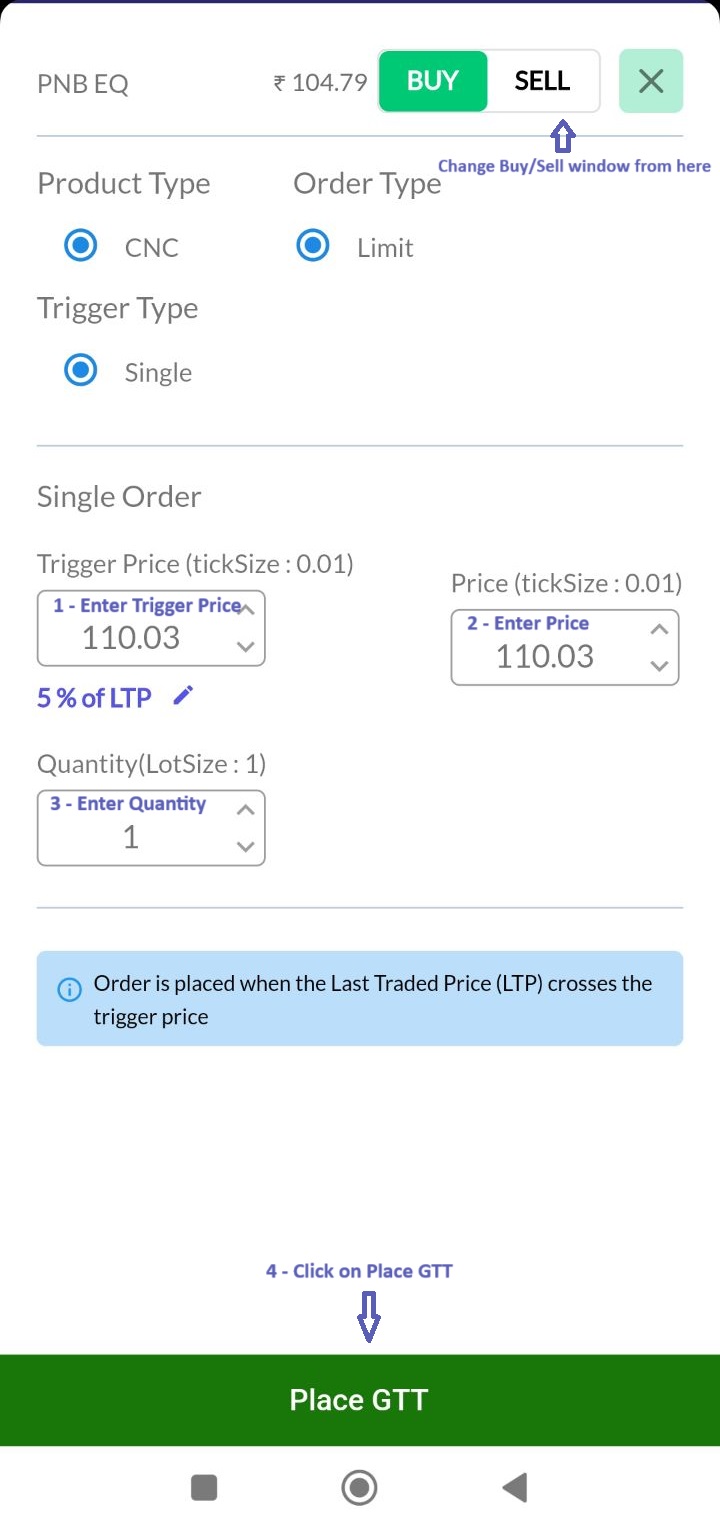
5 – Enter the required quantity, price, and trigger price, then place the GTT order.
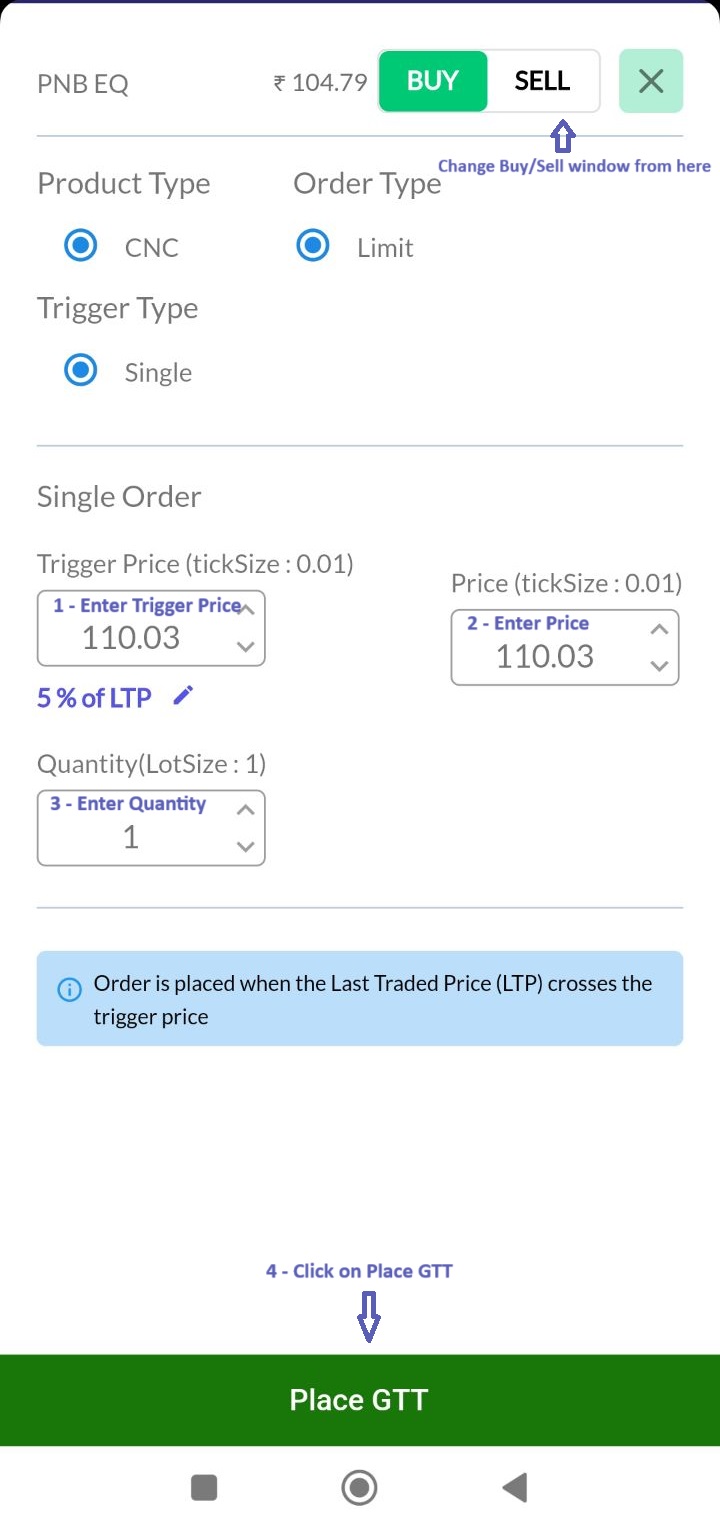
To place a GTT order directly from your Market Watch:-
1 – Open Buy/Sell window from Market Watch Script
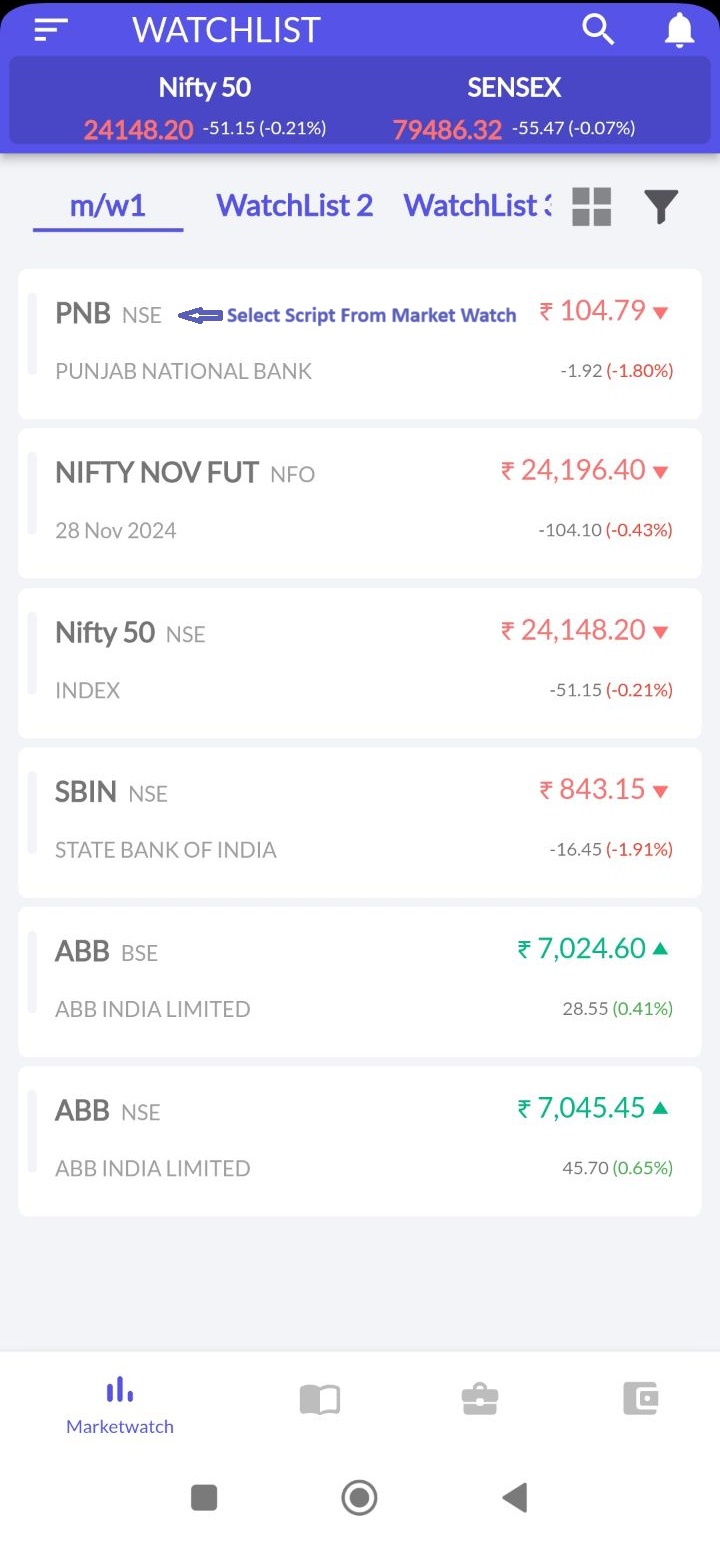
2 – Select GTT order
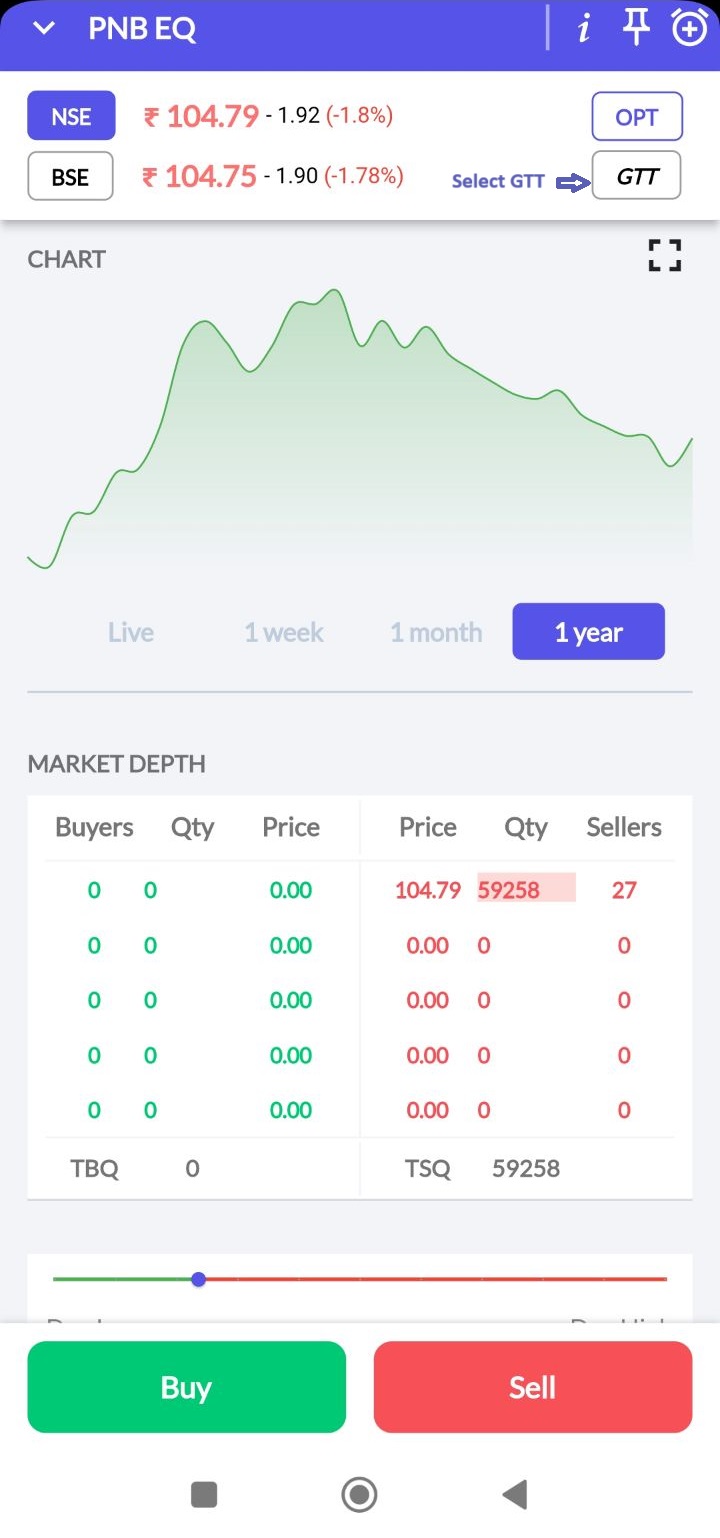
3 – Enter the required quantity, price, and trigger price, then place the GTT order