Capital and Commodity Market
To log in to the Stocko Report Portal, use the following credentials and steps:
- User ID: Your Client Code
- Password: Your PAN card number (in capital letters)
- OTP: Received on your registered mobile number and email ID
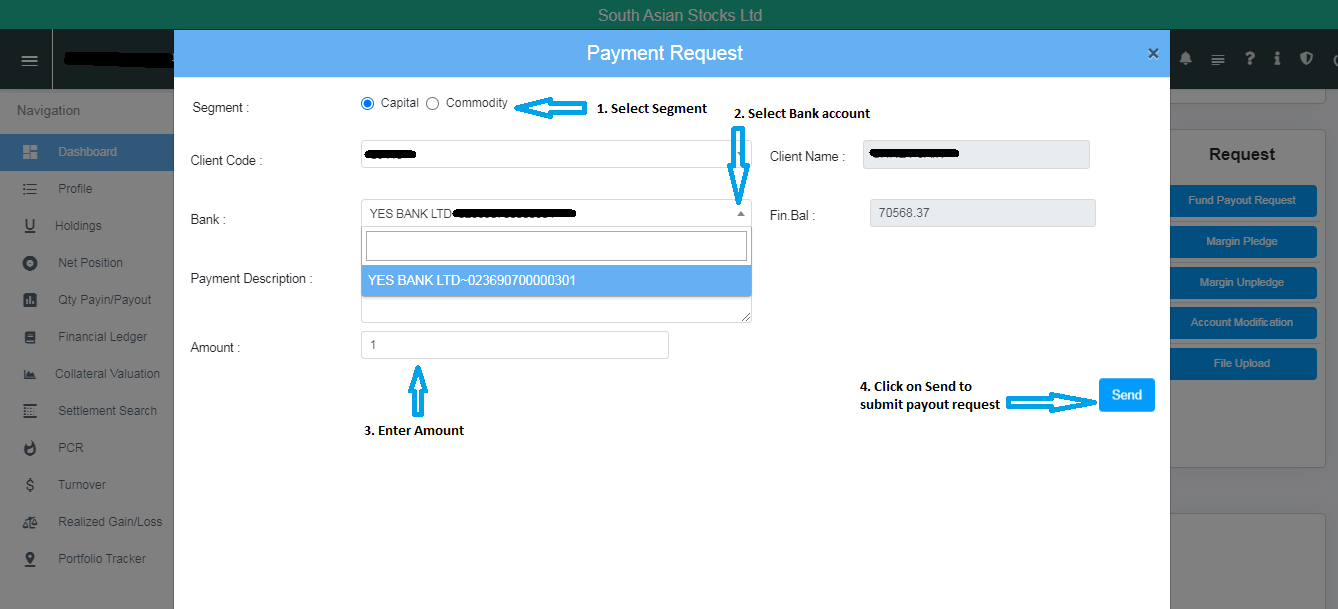
Follow the steps below to request a fund payout:
- Log in to the portal.
- Navigate to the Dashboard.
- Select Fund Payout Request.
- Select the Bank, enter the desired amount, and click Send.