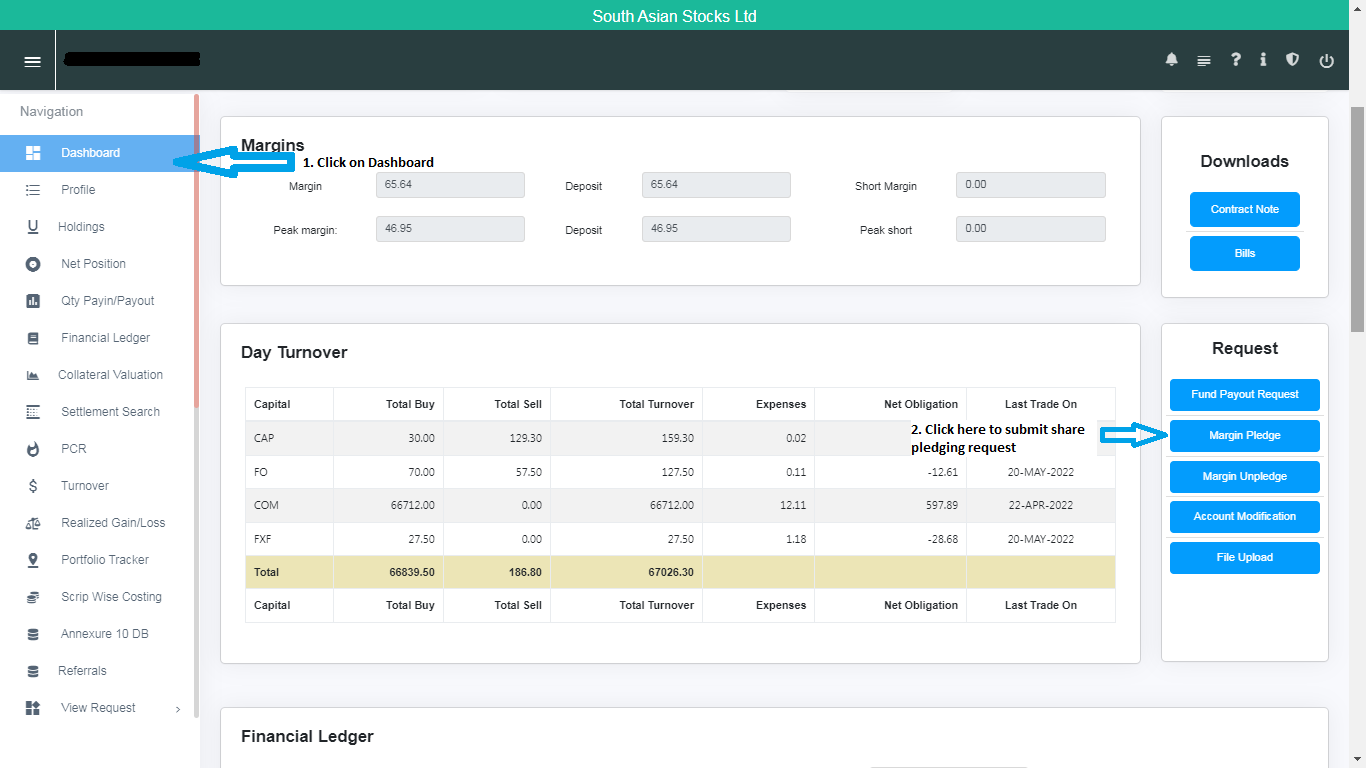
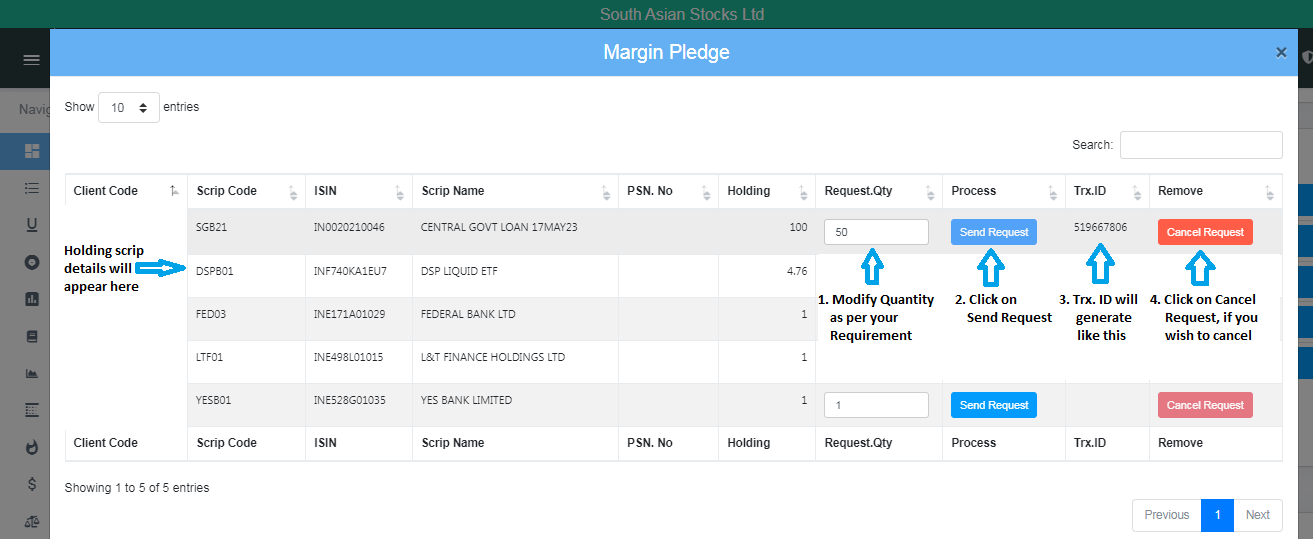
After activating Stock Plus/Equity Plus, you can submit a Pledging Request on the Stocko Report Portal by following the steps below:
- Enter User ID: Your Client Code
- Enter Password: Your PAN in capital letters
- Navigate to the Dashboard
- Select Margin Pledge
- Enter the Share Quantity
- Click Send Request
Note – Margins pledged for one segment (Capital & Commodity) cannot be utilized for the other. Equity and Commodity segments must be maintained and pledged separately.
Watch DEMO video on Pledging process >