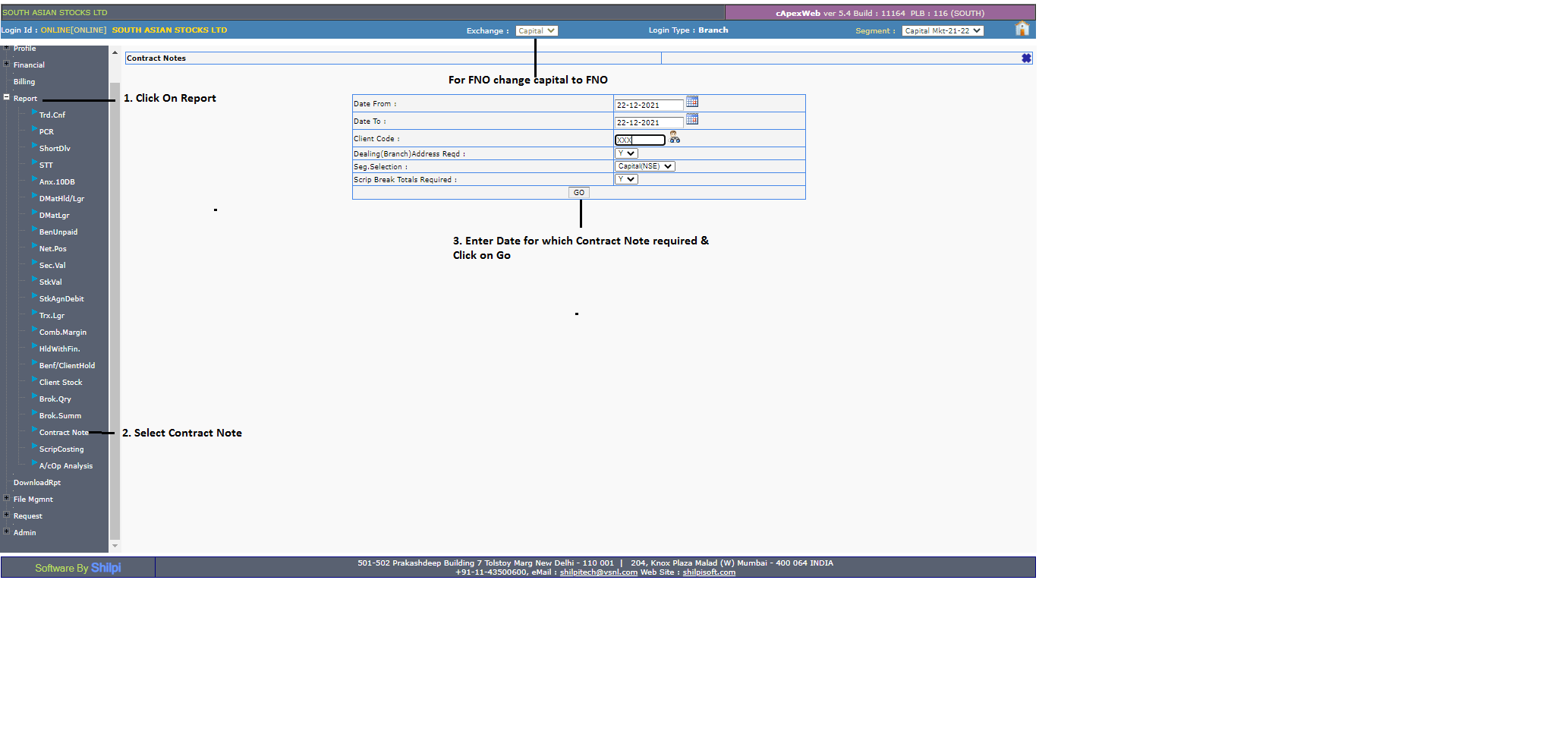
To download the Contract Note, log in to the Back Office and refer to the Contract Note under the Reports section.
- Select the current financial year.
- Click on Reports >> Contract Note.
- Enter the date and download the report.
Note: For the FNO Contract Note, select FNO from the center of the screen (Exchange).