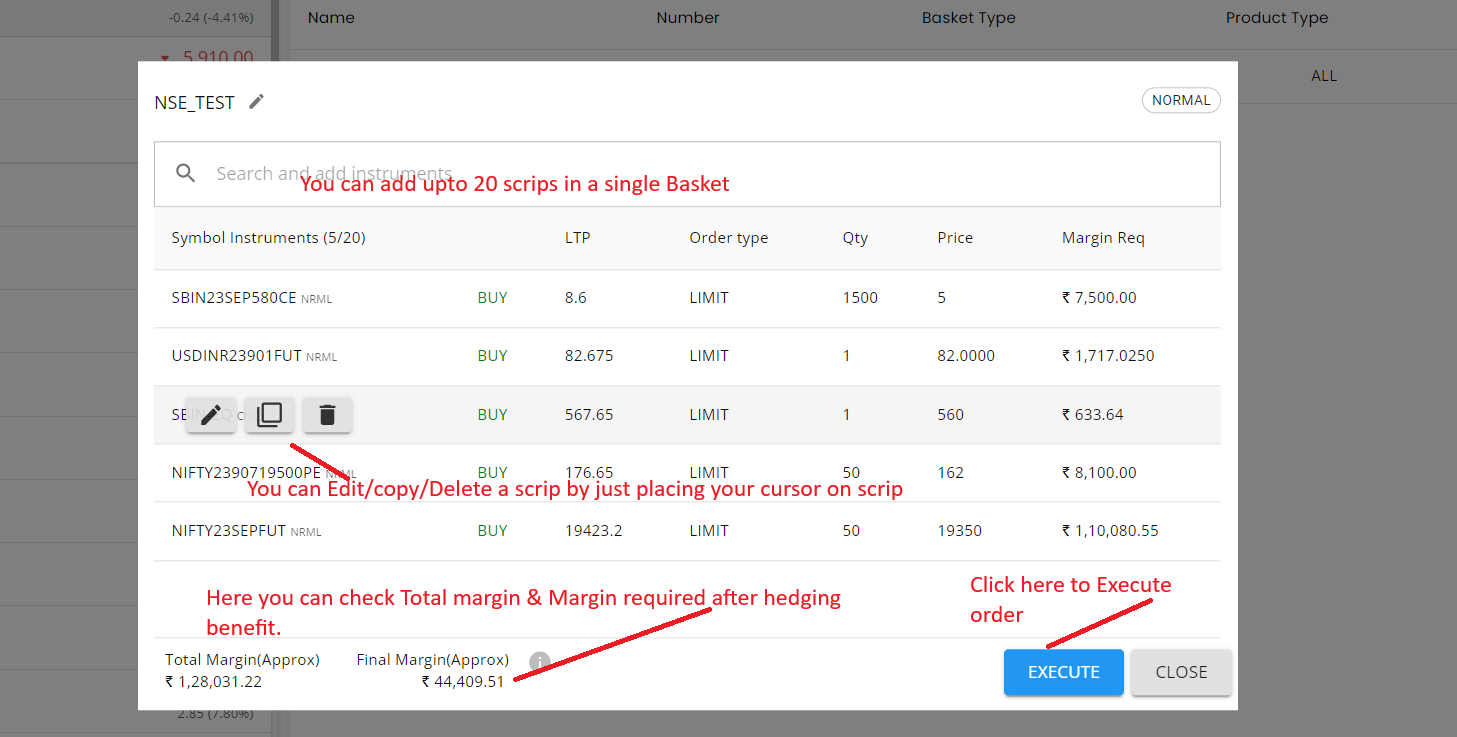
Basket Order- A basket order allows clients to simultaneously submit multiple orders. These baskets can be saved on the Stocko web portal for future use. To initiate a basket order, follow these guidelines:
Points to Remember:
- You can create and save up to 5 baskets at a time, with a maximum of 20 scrips in a single basket.
- You can reuse the same basket multiple times by clicking the RESET button.
- Orders will be executed in the sequence in which they are added to the basket.
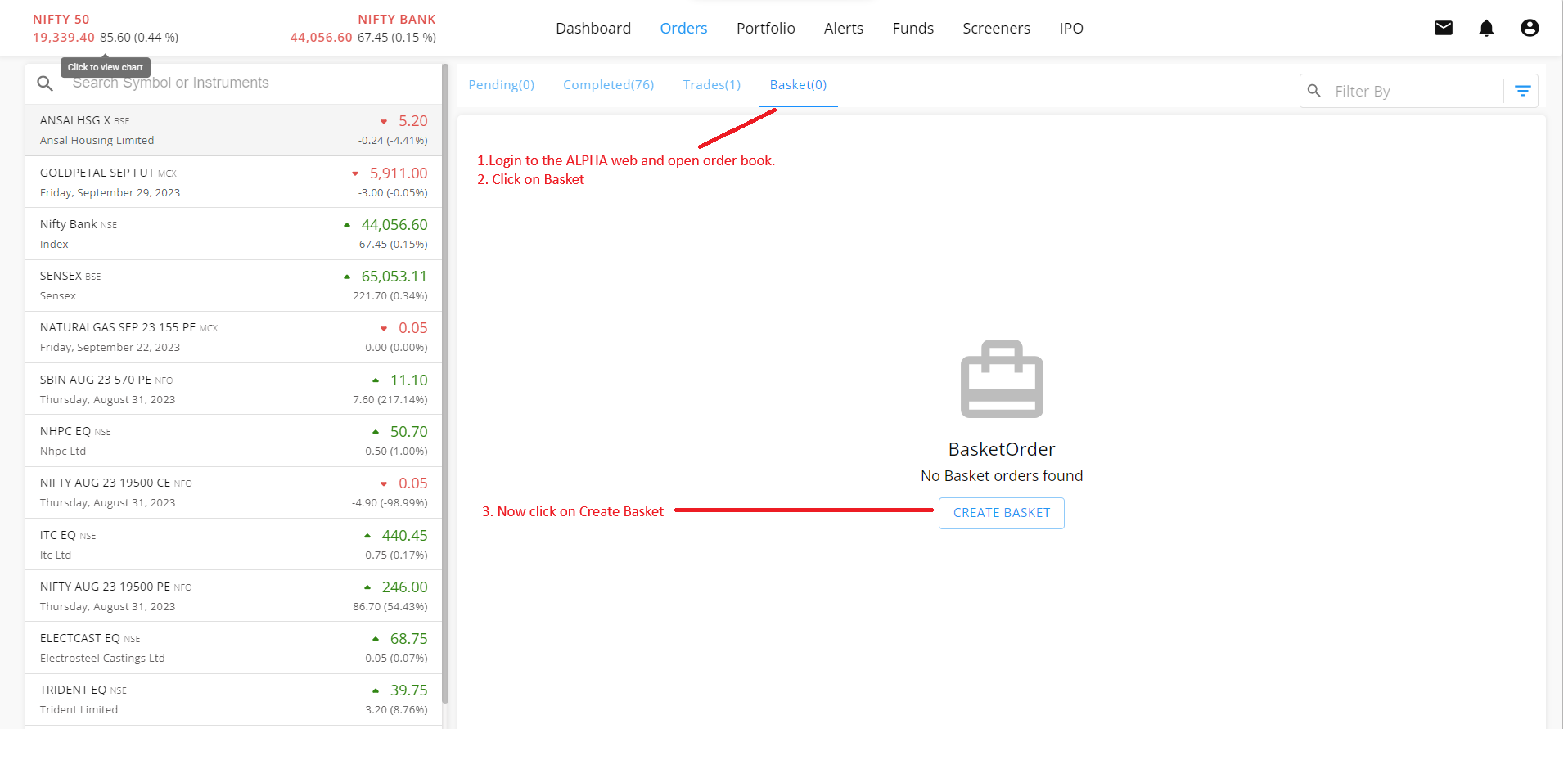
1. Login to web.stocko.in >> Open Order Book >> Create Basket.
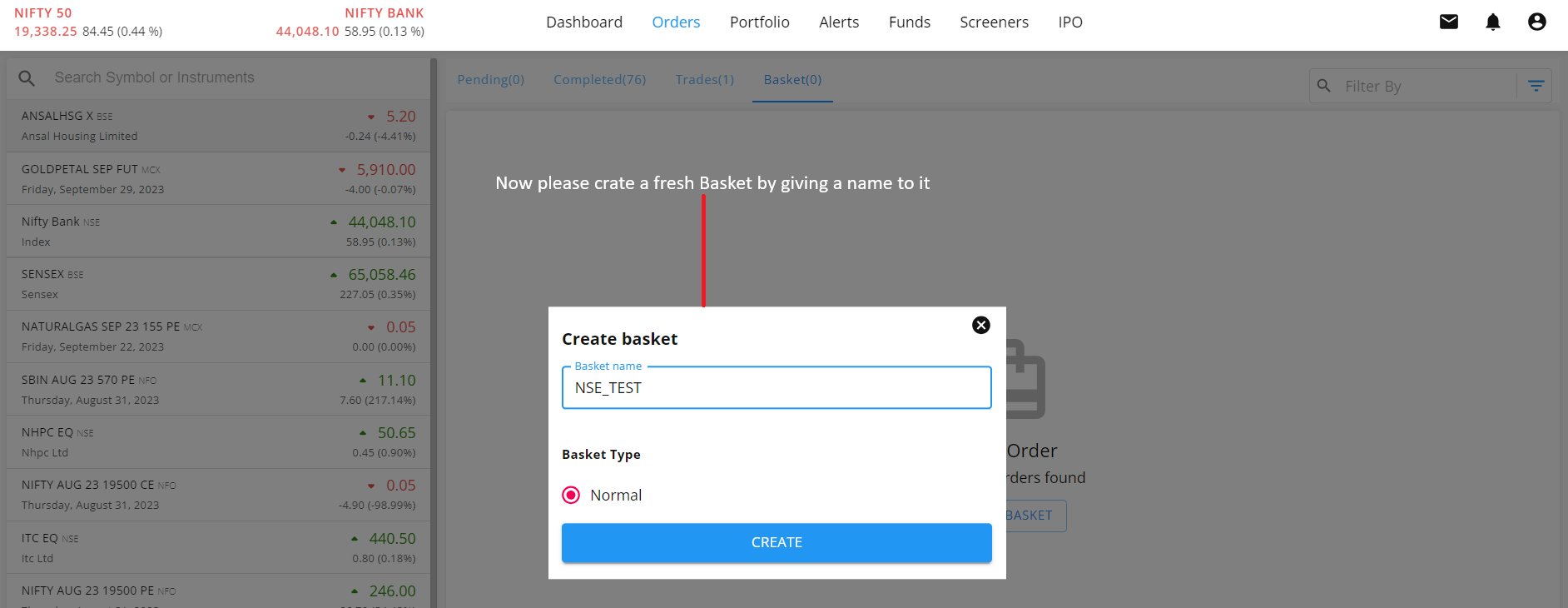
2. Now please name your Basket
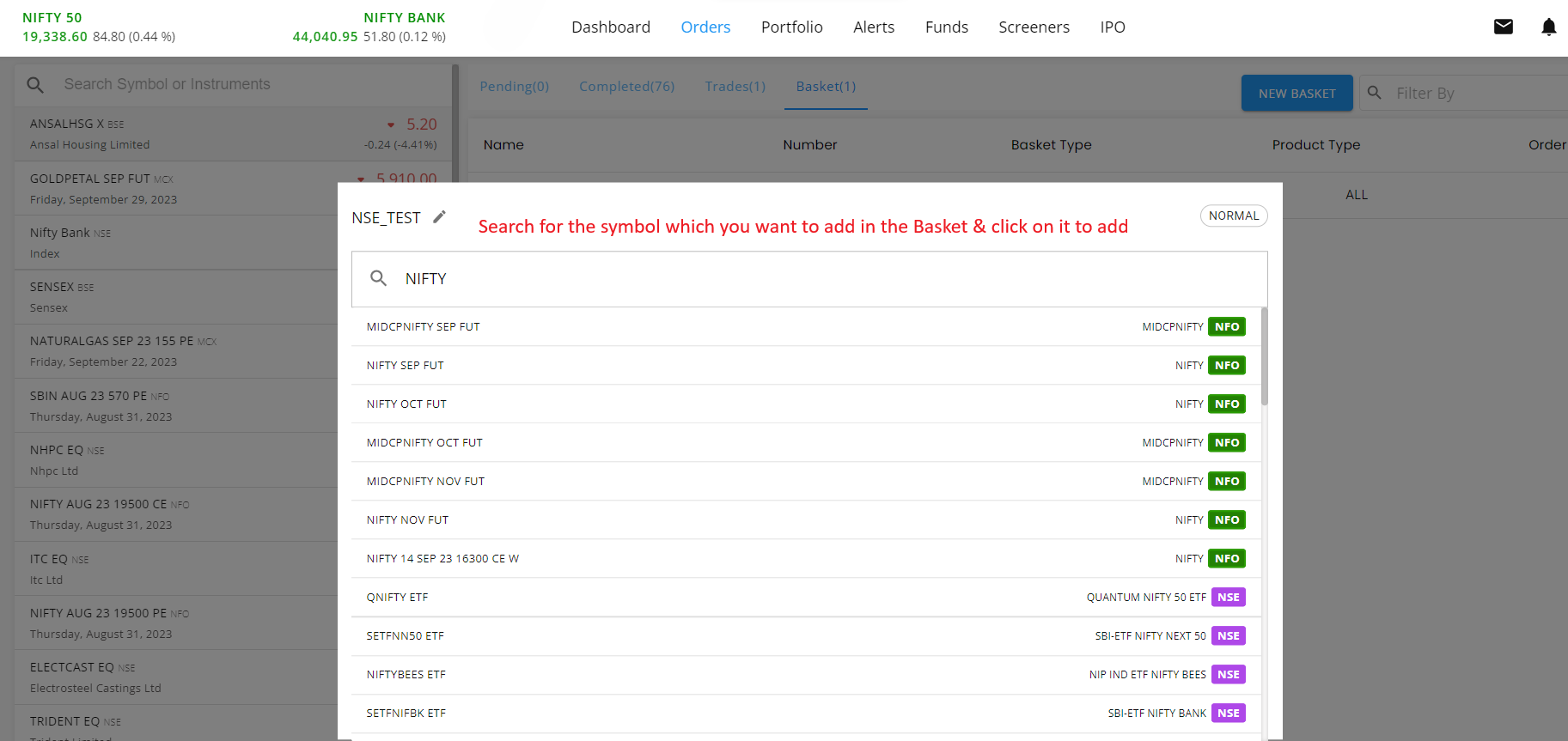
3. Search for the symbol you want to add to the basket and click on it to include it
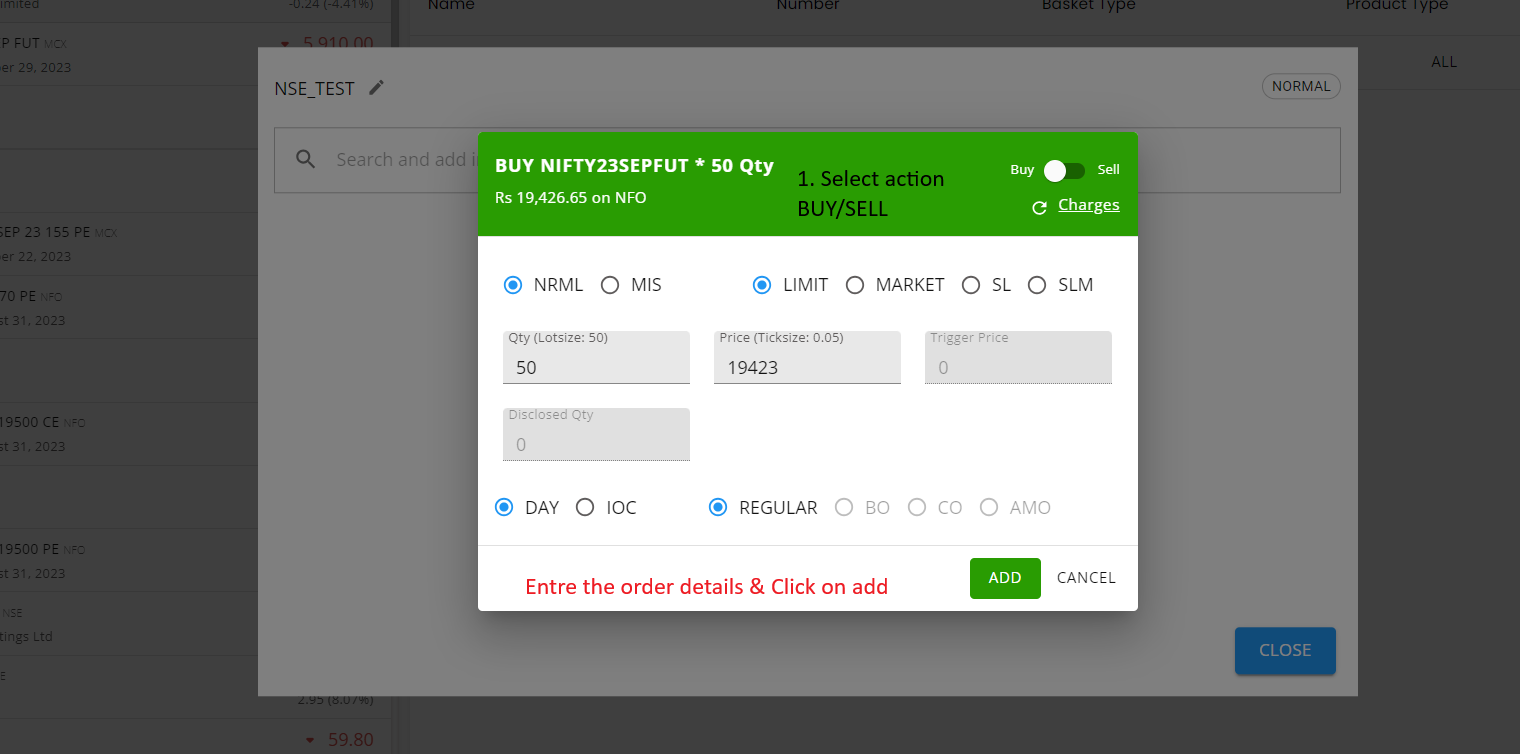
4. Select the action BUY/SELL and entre the price & qty details
5. (A) You can add a total of 20 scrips to a basket (B) You can view the total margin required for the basket and the margin after applying the hedging benefit (C) To place the order, click on Execute.