

codeYou can follow the path mentioned below to change your password across any of these platforms:
Password Guidelines
To ensure account security, adhere to the following password creation rules:
- Include Both Alpha and Numeric Characters: A-Z and 0-9
- Special Characters Allowed:
] [ ? / < ~ # ! @ $ % ^ & * ( ) + = } | : " ; ' , > {` - Password Length: Minimum 6 characters, Maximum 12 characters
- Password Expiry: Passwords will expire every 90 days for security reasons.
- Reuse Restriction: The new password cannot match any of your last 3 passwords.
- Account Lock: Your account will be locked after entering the wrong password 3 times consecutively.
Need Help Changing Your Password?
If you face any difficulties changing your password, contact us via any of the following options:
- Call: 011-40409999
- Email: support@stocko.in
- Live Chat: Available during business hours
Password will be sent to your registered email id only.
NEST DESKTOP TRADER :

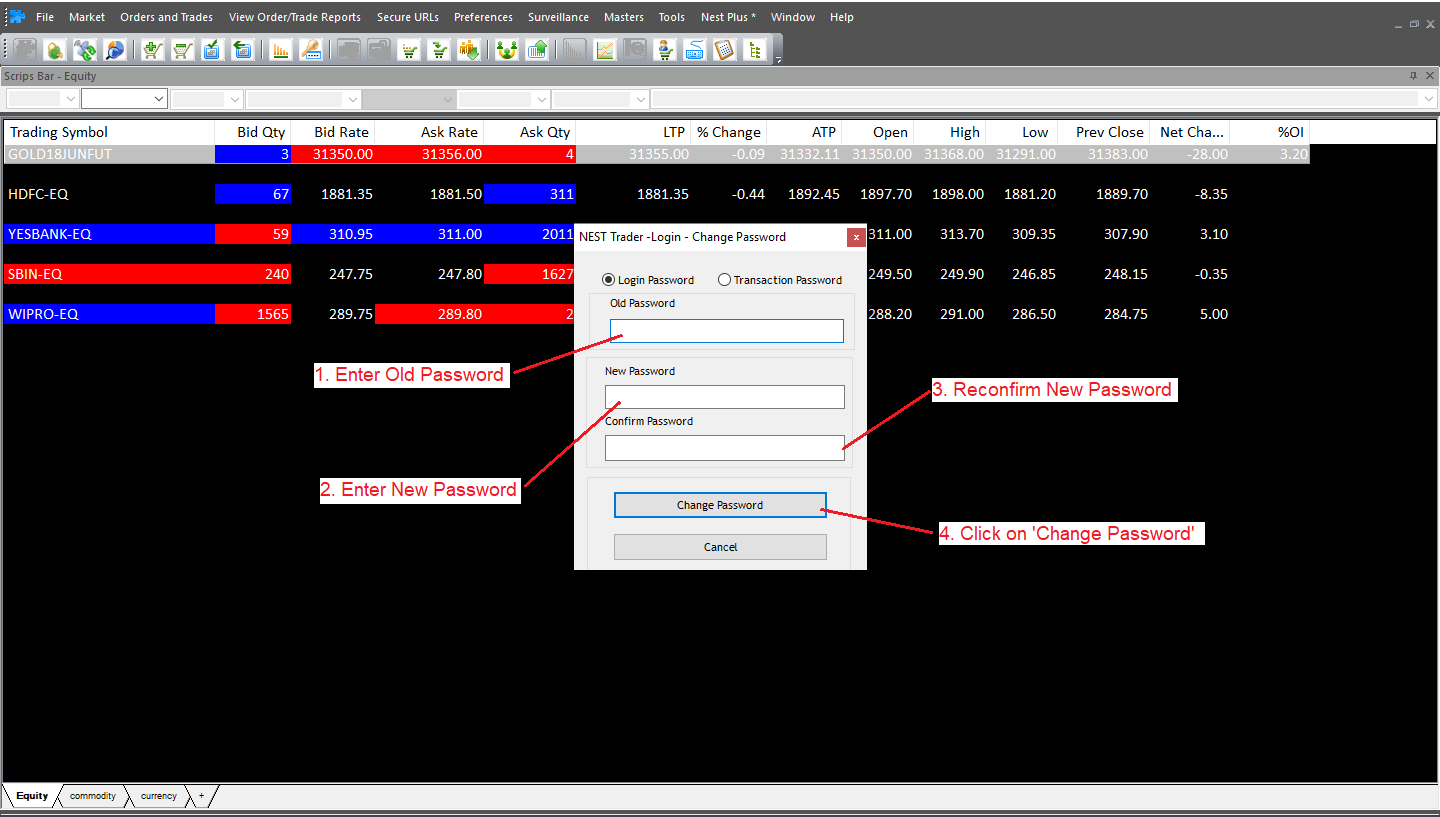
Stocko DESKTOP TRADER :


