

How to View Net Positions
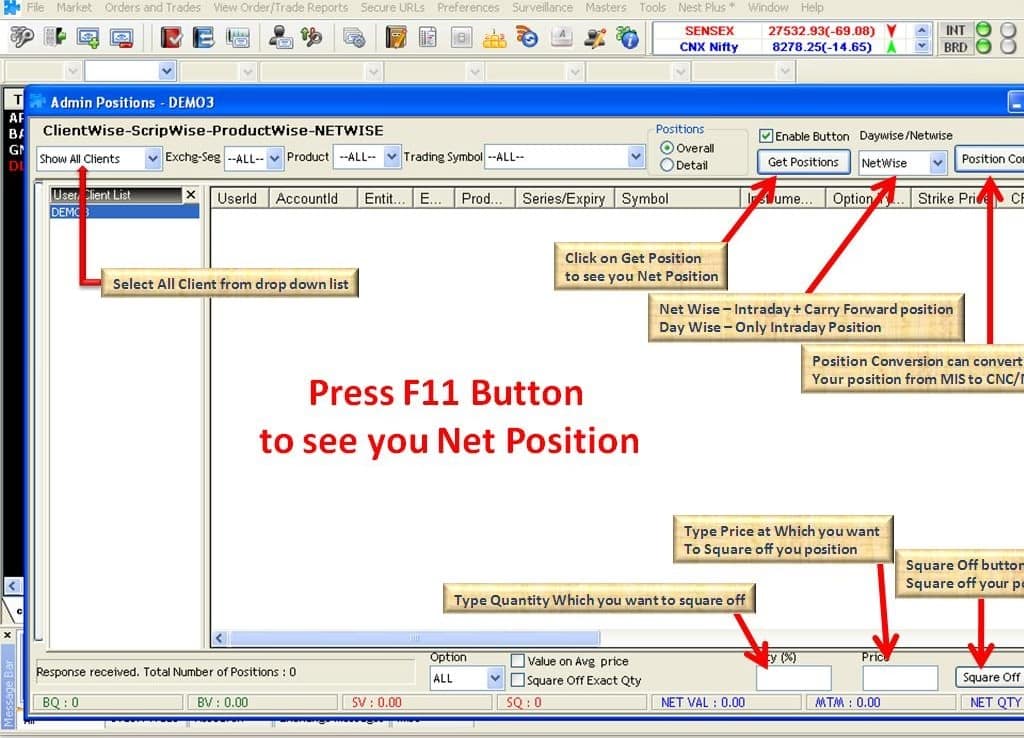
Press F11 >> Under Select Options, choose Show All Clients >> From Daywise / Netwise, select Netwise >> Tick the Enable button >> Click on Get Positions.
How to View Holdings
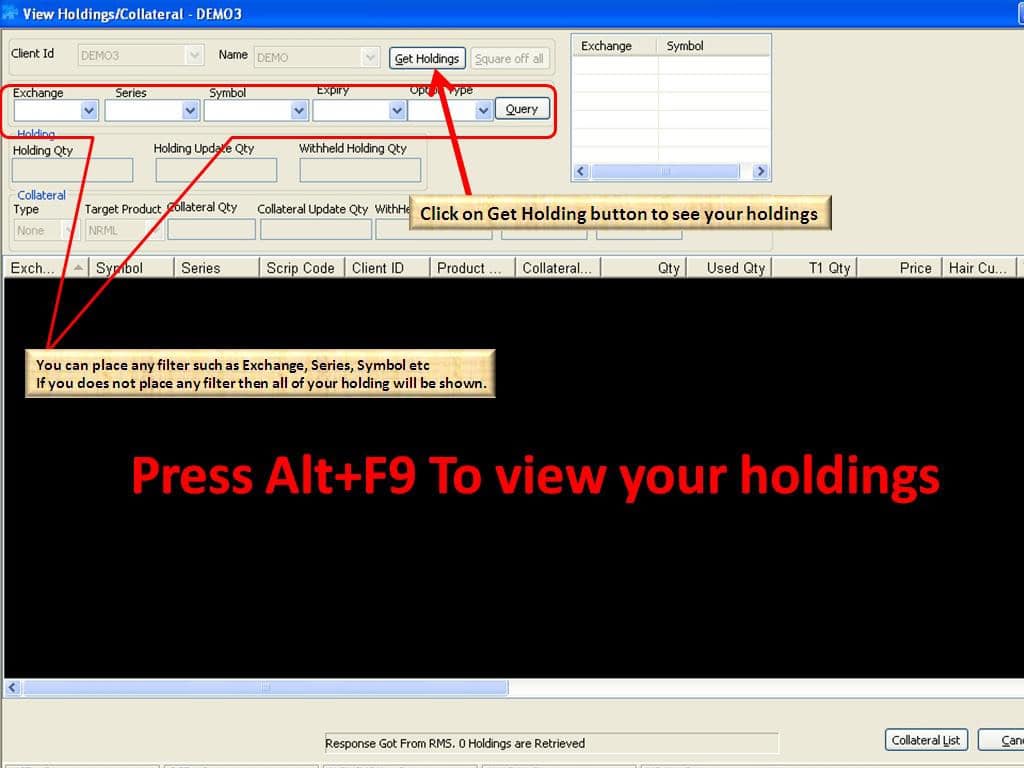
Go to View Order Trade Reports >> Select View Holding Collateral Values (shortcut: ALT + F9) >> Click on Get Holdings
How to View Available Funds
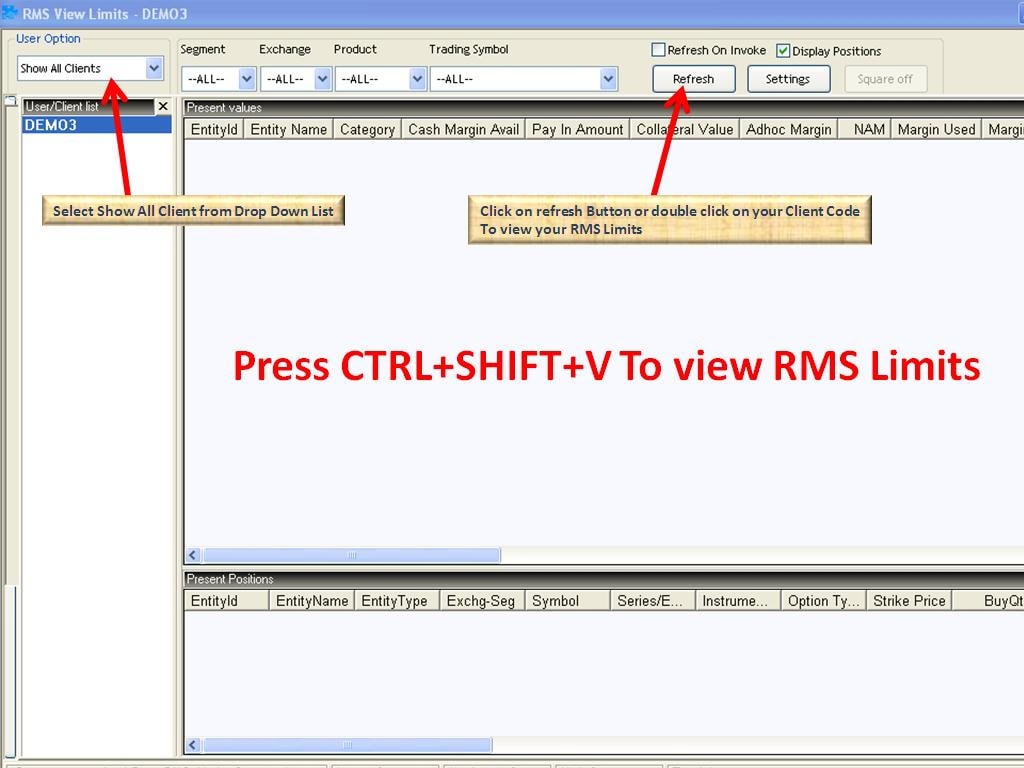
Go to View Order Trade Reports >> Select View RMS Limits (shortcut: CTRL + SHIFT + V) >> From User Options, select Show All Clients >> Click on Refresh
Stocko Trading Tools: Elevate Your Trades
