

The Unified Payments Interface (UPI) payment option (Google Pay, BHIM, etc.) allows you to transfer funds instantly from your mapped bank account to your trading account.
Kindly refer to the steps below for fund transfer:
-
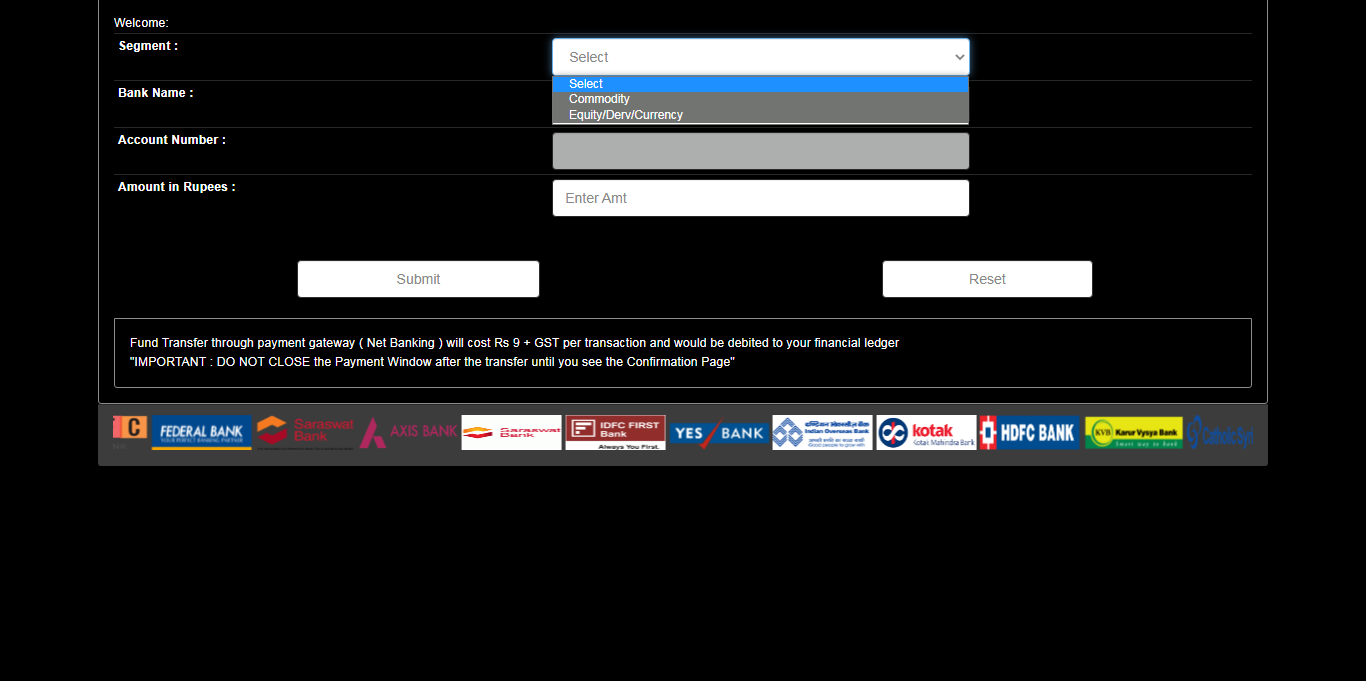
Log in to your Stocko/NEST Trader, Mobile App, or Web version, and click on Payin. Select the segment (EQ/Commodity) and choose the bank account.
-
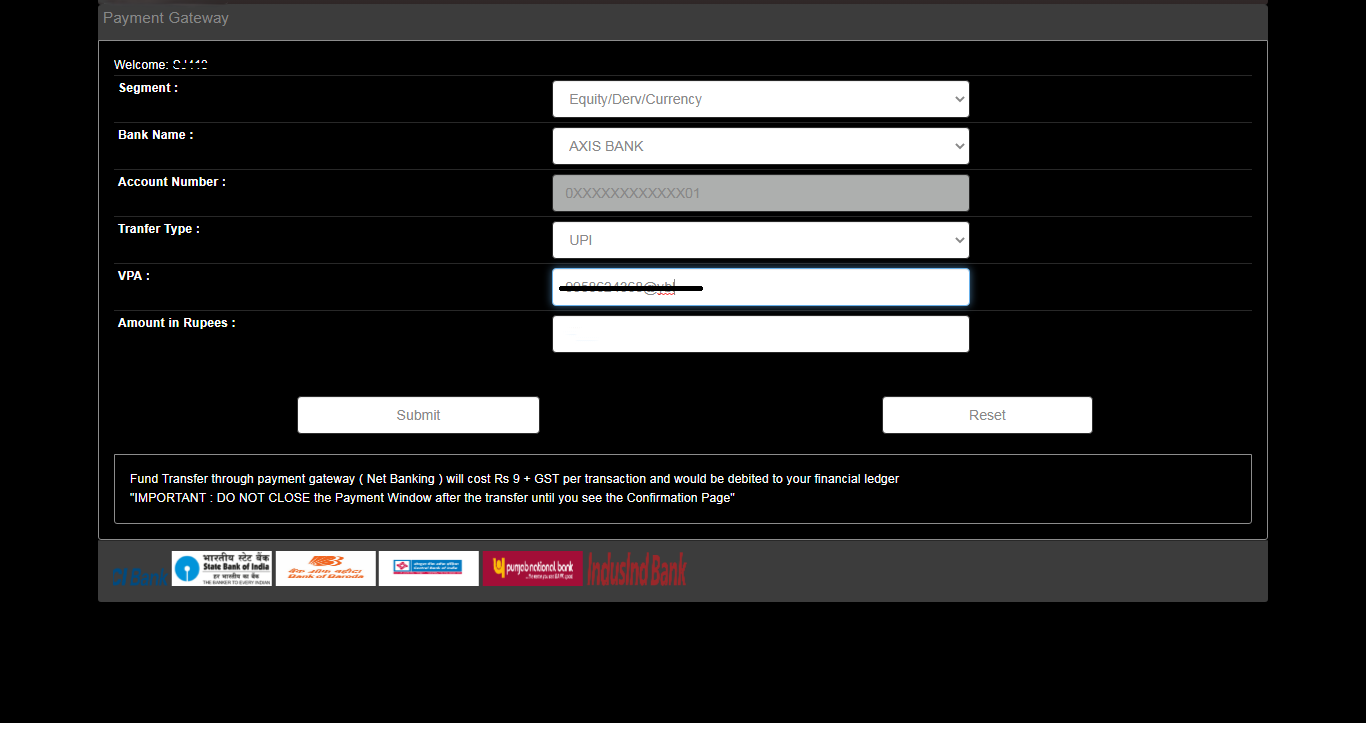
Select the bank from which you wish to transfer funds and choose the transfer type as UPI.

-
Enter your UPI ID in the Virtual Payment Address (VPA) column, enter the amount you want to transfer, and click Submit.
-
You will now receive a confirmation request on your UPI application. You need to approve it before the mentioned time.

- Once the transaction is approved, your funds will be automatically updated in your trading account under the Payin column.
Note.1. Currently, UPI transfers are free. Please check with your bank for any applicable charges.
Note.2. Most banks have a daily UPI transaction limit of Rs. 2 lakh. Some banks may have a lower limit. You will not be able to transfer funds if your daily bank limit has been exhausted.
