To check your BUY/SELL price along with the date for a particular stock, log in to the Back Office and refer to the Transaction Ledger under the Reports section.
Steps to check the Transaction Ledger:
-
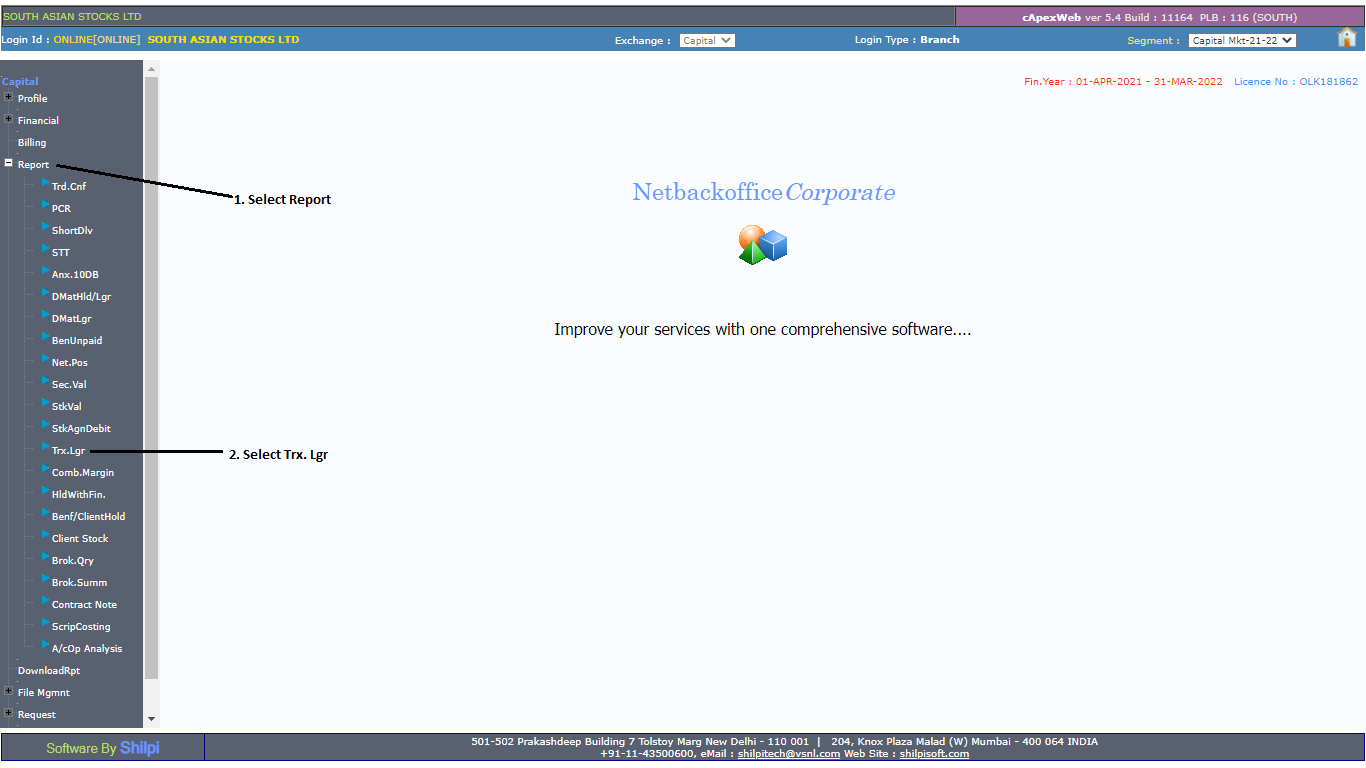
Log in to the Back Office, select the current financial year, and click on Reports.
-
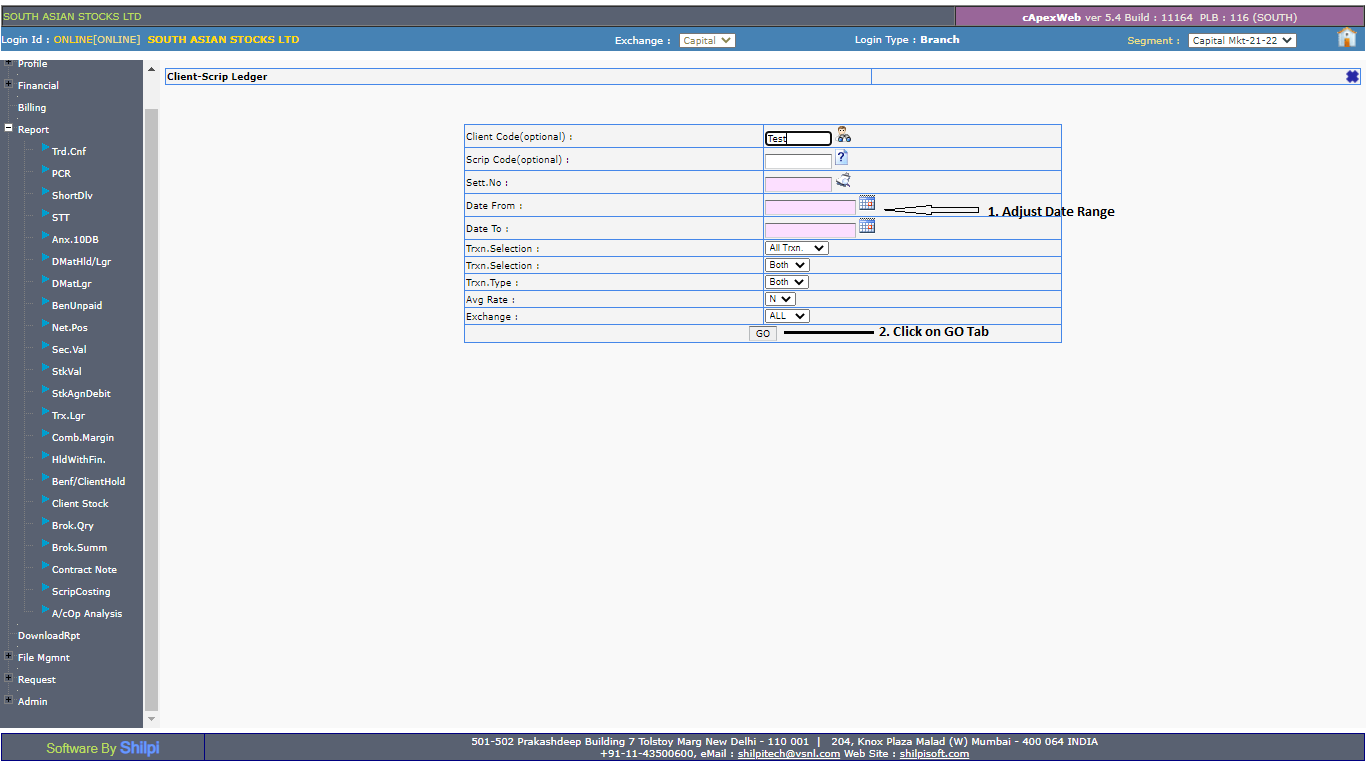
Enter the date range and click on the GO tab.