

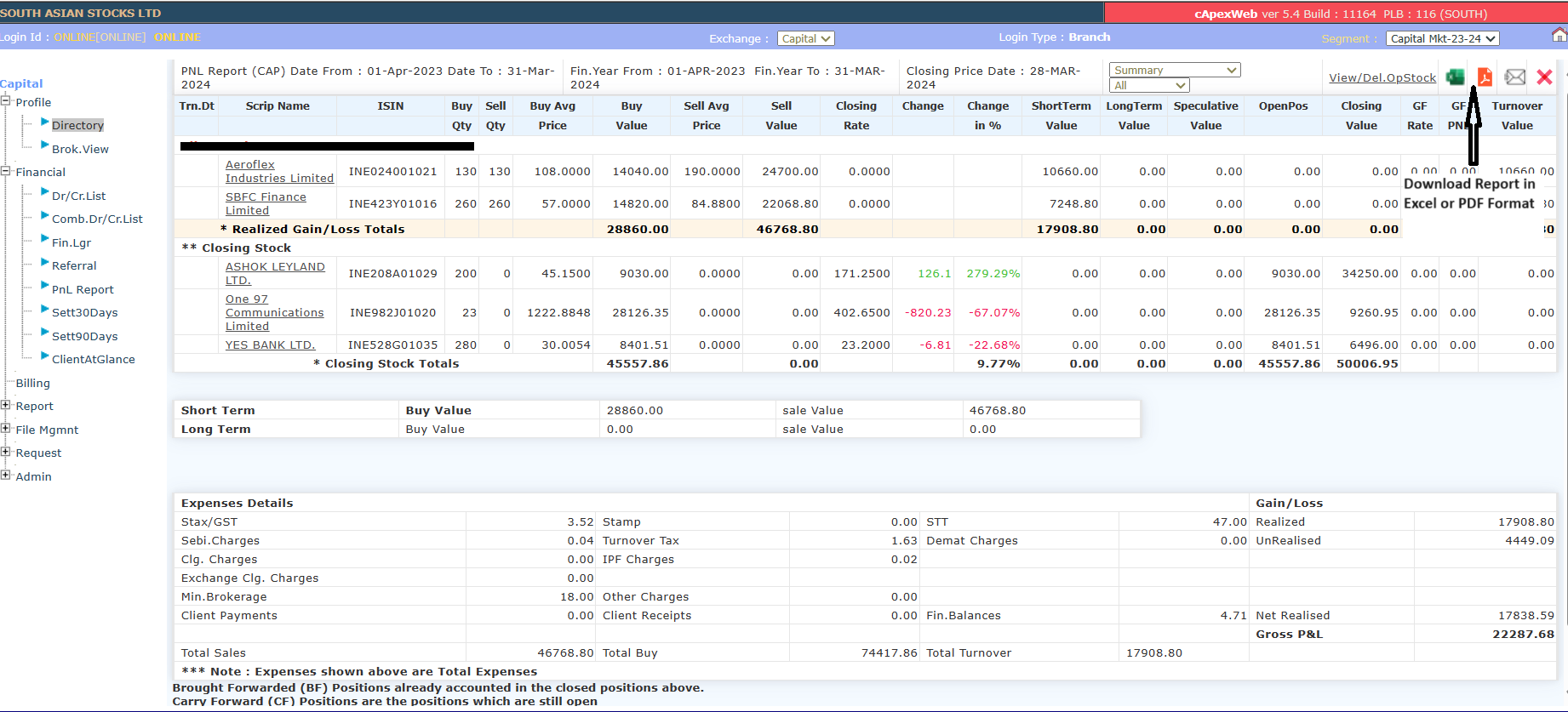
Kindly note that for tax filing, you can refer to the P&L Report after logging into the Back Office Portal and selecting Capital Market: -23-24.
-
To access the P&L report:
- Select the current financial year.
- Click on Financial >> P&L Report.
- Select Capital + FNO.
- Click Go.

-
If you wish, you can also download the report from the upper right-hand side menu.
** Please note that for bonus shares, the date of allotment will be considered the date of acquisition, and the cost of acquisition will be NIL, while in the case of a stock split, the date of acquisition will remain the same as that of the original shares, and the cost of acquisition will be proportionately divided between the original and split shares.
