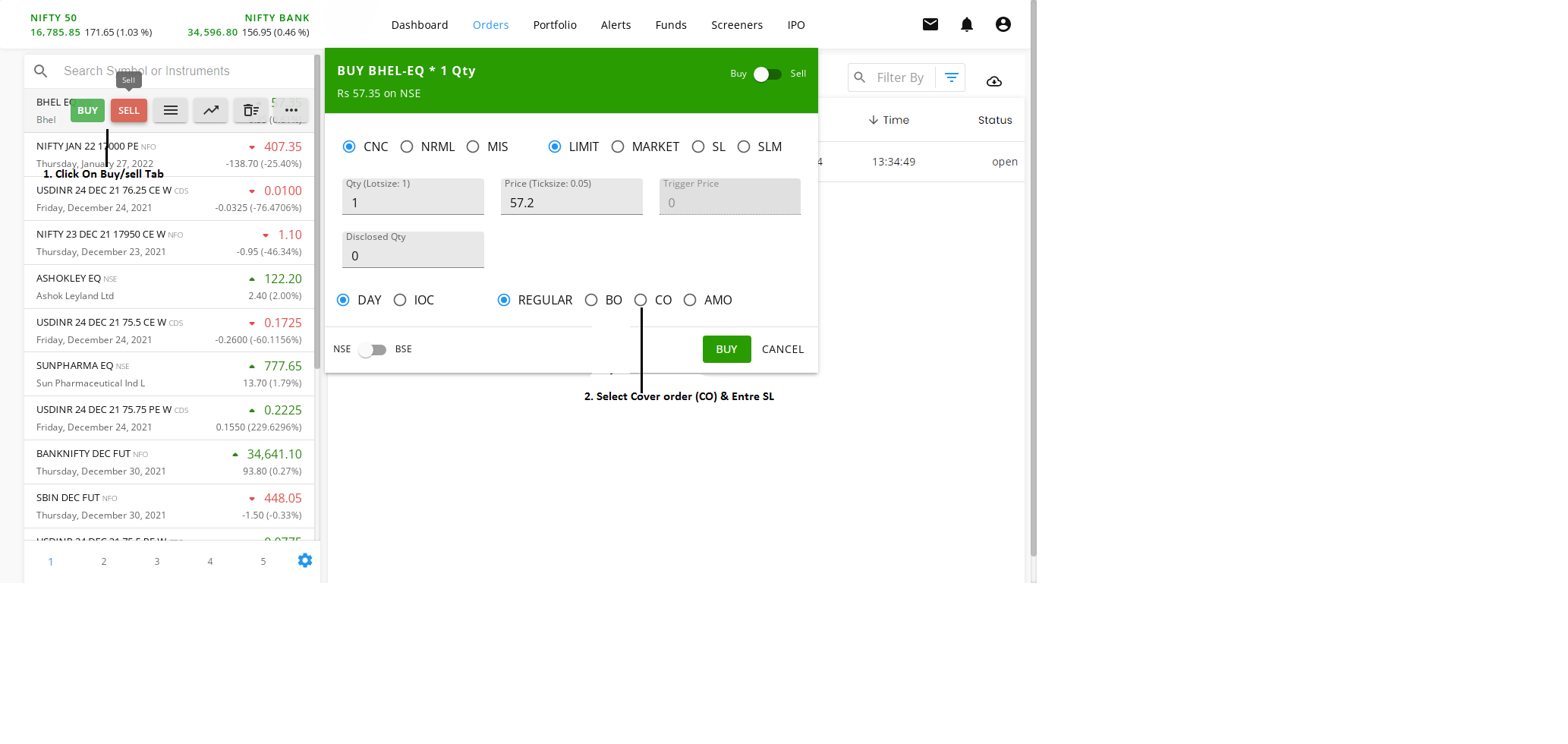
Cover Order (CO)
A Cover Order is a market or limit order placed along with a compulsory Stop Loss order. In a Cover Order, the buy/sell order is either a market or limit order, and it is accompanied by a mandatory Stop Loss order within a pre-defined range set by the system. This Stop Loss order cannot be canceled.
Since the Stop Loss order limits potential risk, the margin requirement is automatically reduced, providing more leverage to clients for intraday trading.
To place a Cover Order (CO):
- Open the Buy/Sell window.
- Select CO instead of Regular. (Refer to the image below for detailed steps.)
For more information on Cover Orders, refer to this LINK