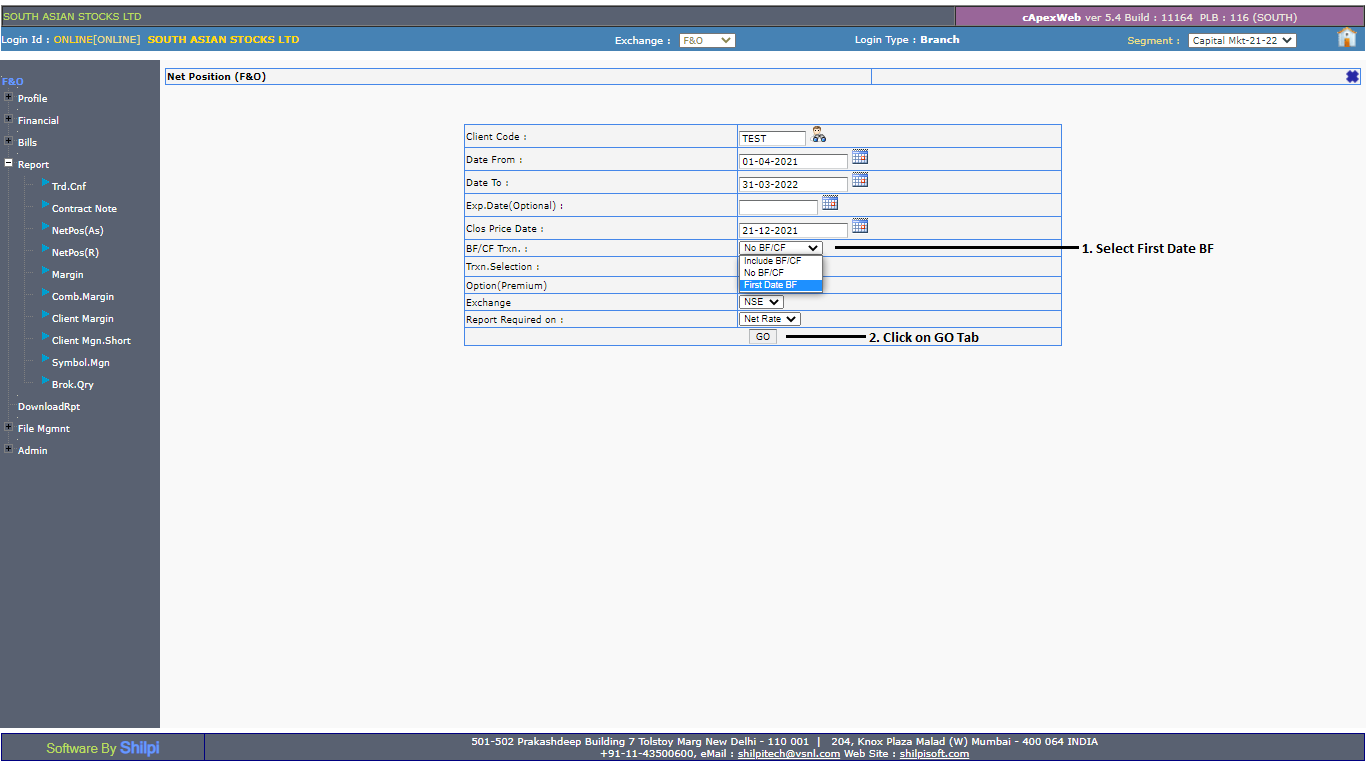
To view or download Profit & Loss / MTM in the F&O Segment, refer to the Report section on the Back Office Portal.
-
Select the current financial year and choose Exchange as FNO.
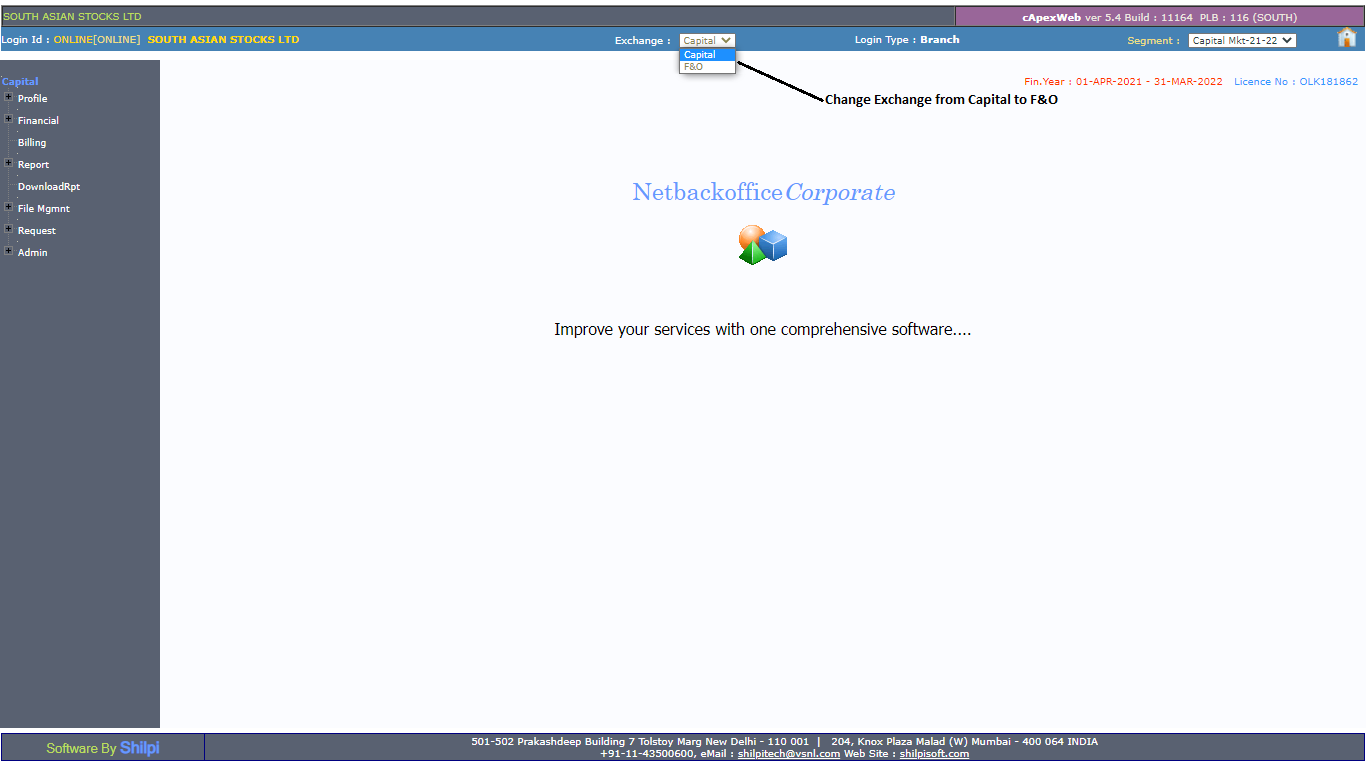
-
Click on the report and select Net Pos R (Date Range).

-
Enter the date range for which you want to generate the P&L Report and click on GO.