

Now you can apply for an IPO (Initial Public Offering) within minutes using your InCred Money Broking mobile app with UPI id (BHIM, Google Pay Phonepe, etc)
Kindly follow the steps below to apply for an IPO via the InCred Money Broking mobile app:
Step 1
Log in to your InCred Money Broking mobile app using your credentials and navigate to the IPO section.
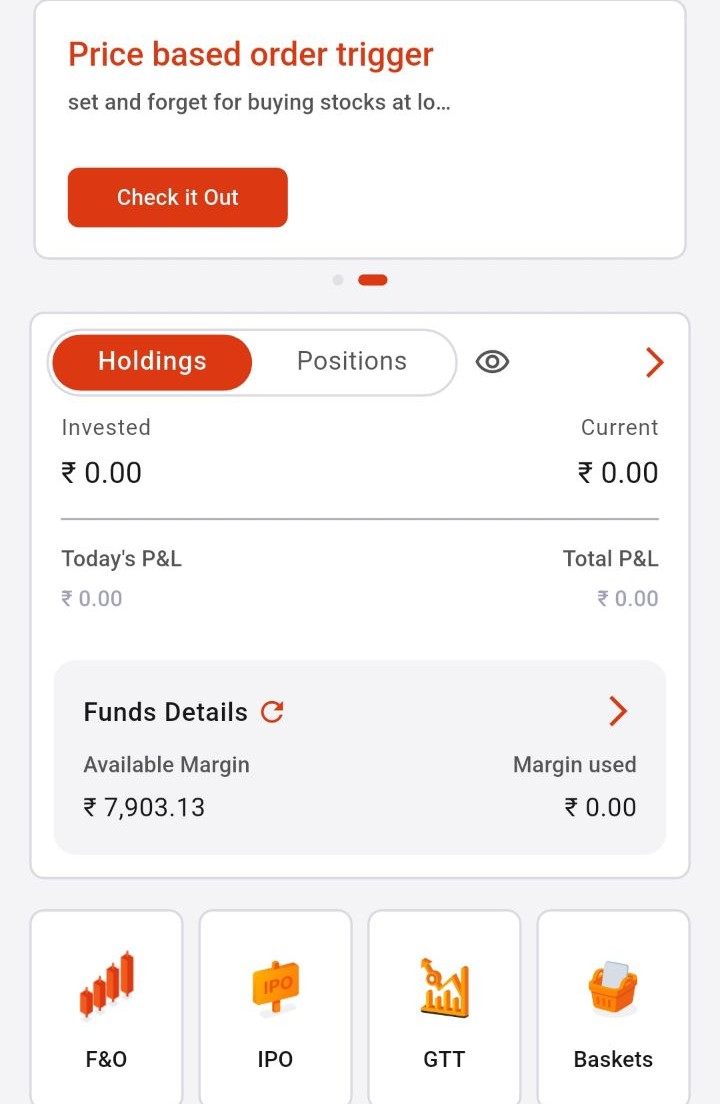
Step-2
Select the IPO you wish to apply for from the list of ongoing offerings.
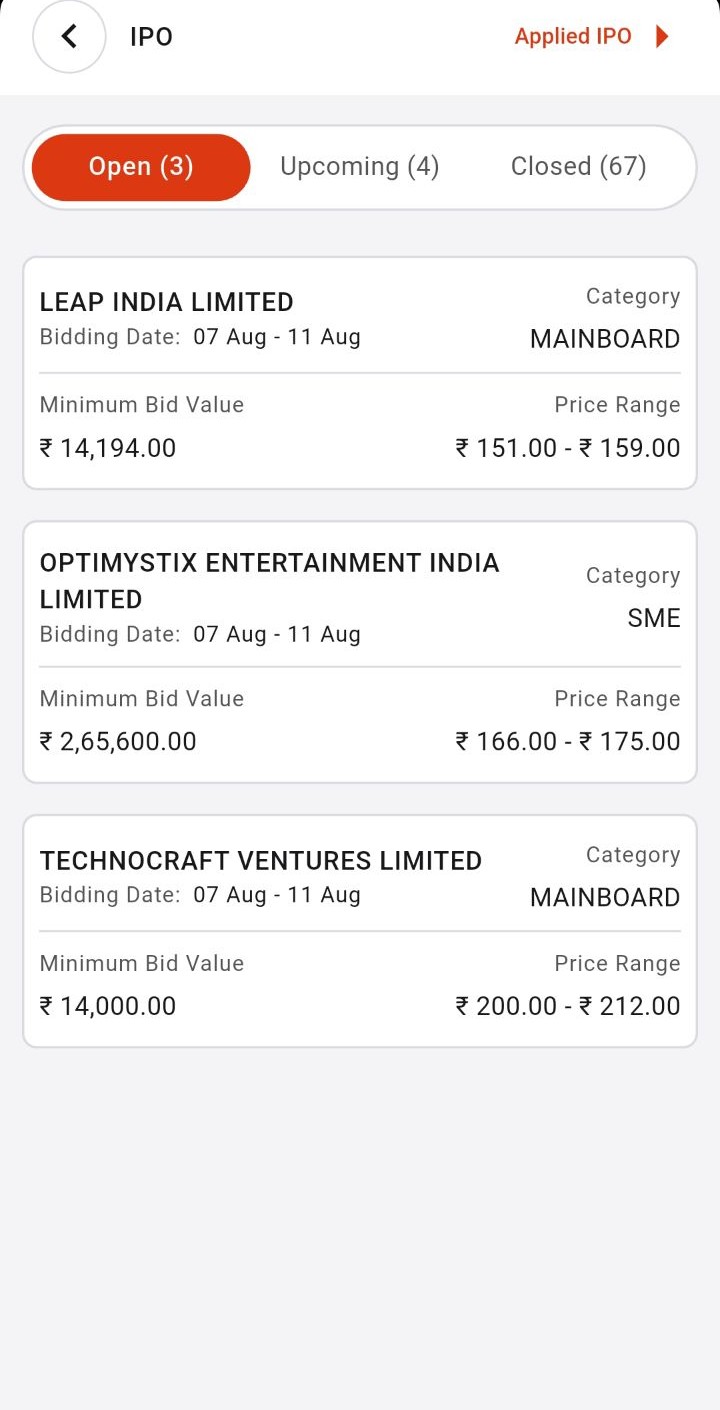
Step 3
Now enter the necessary details, such as the quantity, UPI ID for payment authorization and price (or select the “Cut-off Price” option) >> Submit and approve the bid from your respective UPI App.
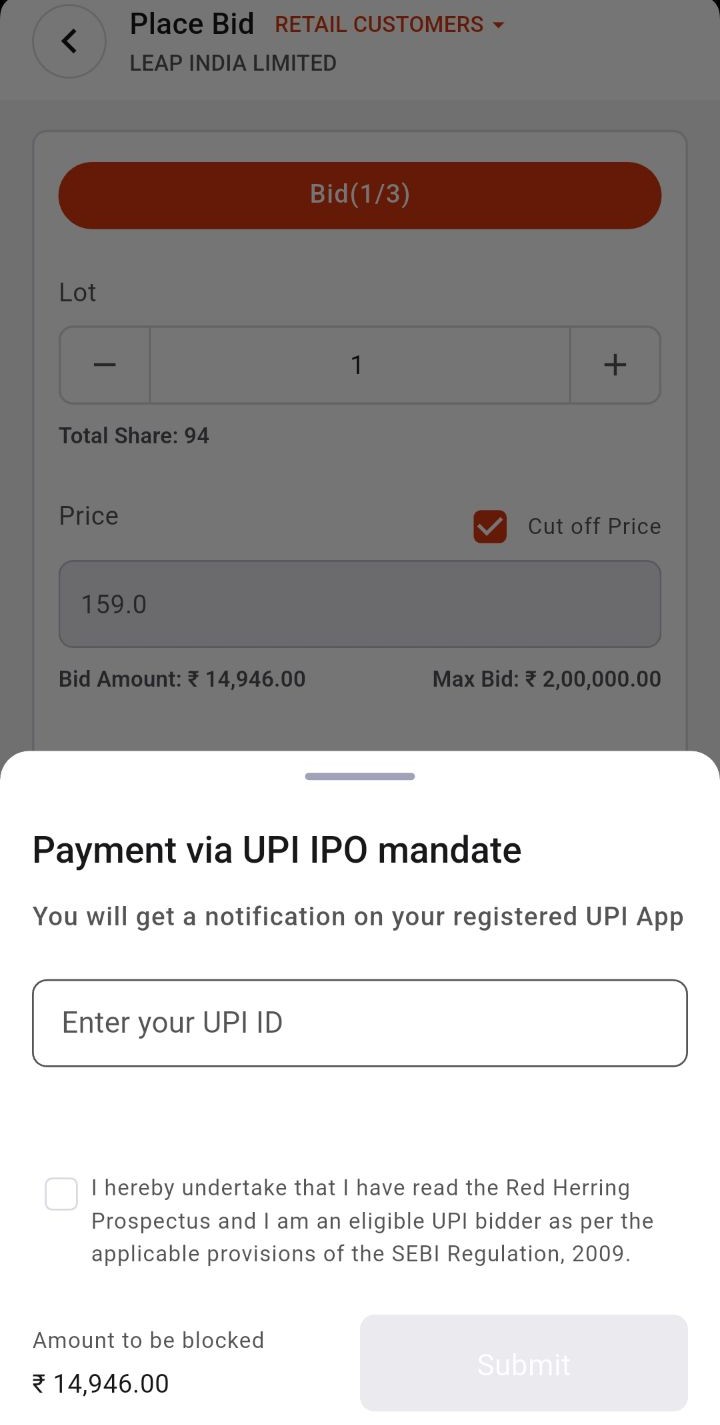
Points to Remember
- UPI-based Bids: Bids placed via UPI are exclusively for retail investors, with a maximum order size of ₹5 lakh.
- Account Consistency: The IPO application will be rejected if the applicant’s name does not match the name on the bank account used for applying.
- Upcoming IPOs: For a list of upcoming IPOs, you can refer to this LINK
