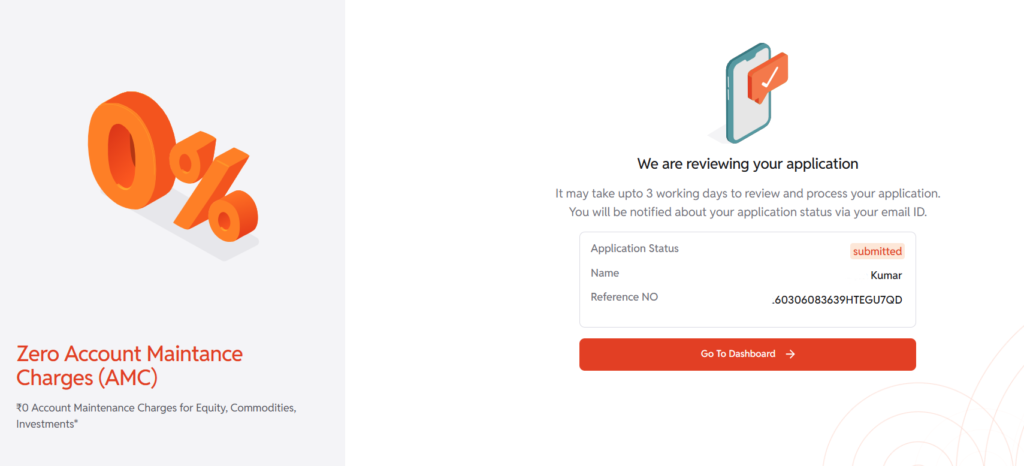

Opening an account with InCred Money Broking is a simple and paperless process. In these tech-savvy times, we have kept the procedure very simple and just a click away. For any assistance during the process, you can contact our sales team at +91-11-4040-9900. Kindly follow the steps mentioned below for detailed information on online account opening.
Important Notes
- You can open your Equity Trading + Demat Account (cash, derivatives) and Commodity Account. However, you cannot open HUF, Partnership Firm, or Corporate accounts through the online process.
- You can link any contact number to your Trading account. However, while opening an online account, you need to have that contact number with you to receive the OTP for the signing process.
- After successfully completing the E-Signing process, your trading account will be activated within 24 working hours, once all mandate checks are completed. Once your account is activated, you will receive a confirmation via email and SMS.
Step 1
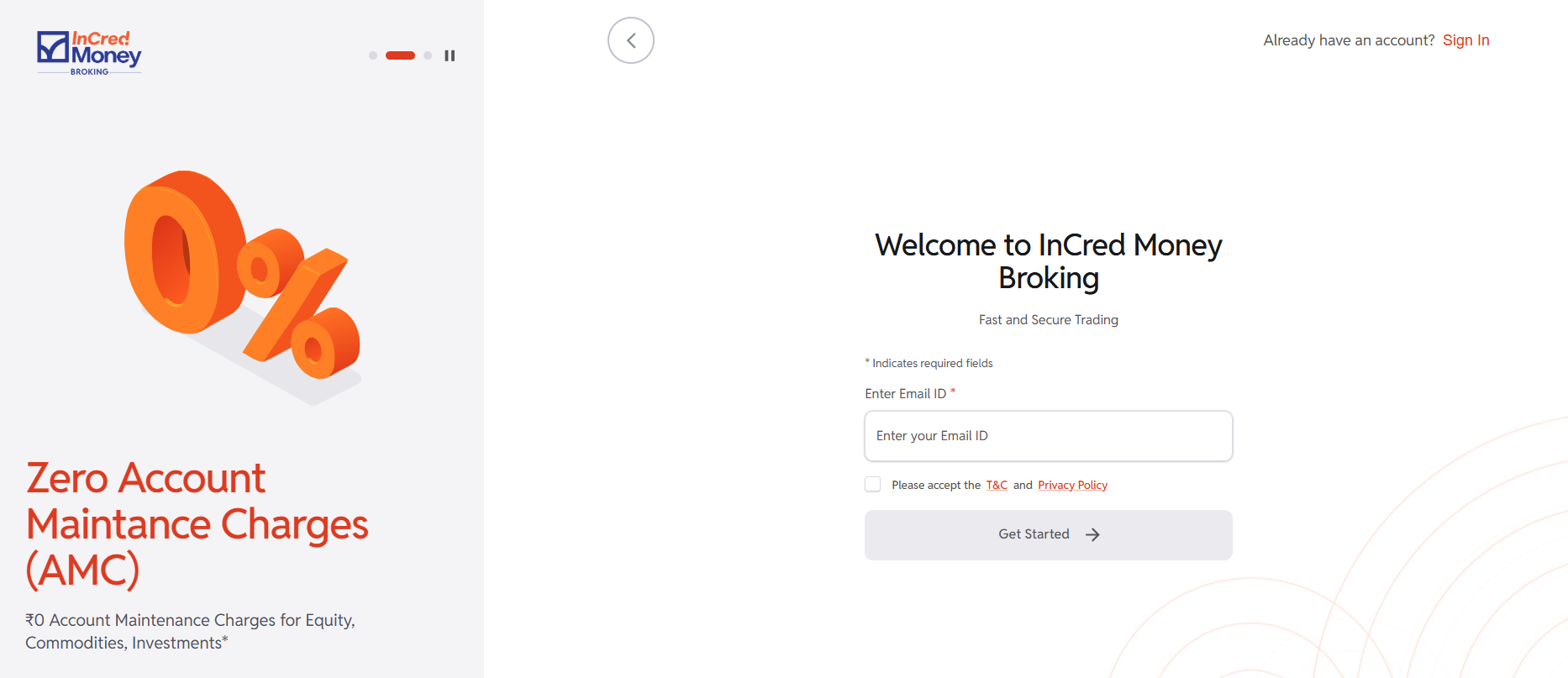
Open the online account opening portal via this LINK and enter your Email ID >> Verify via OTP.
Step 2
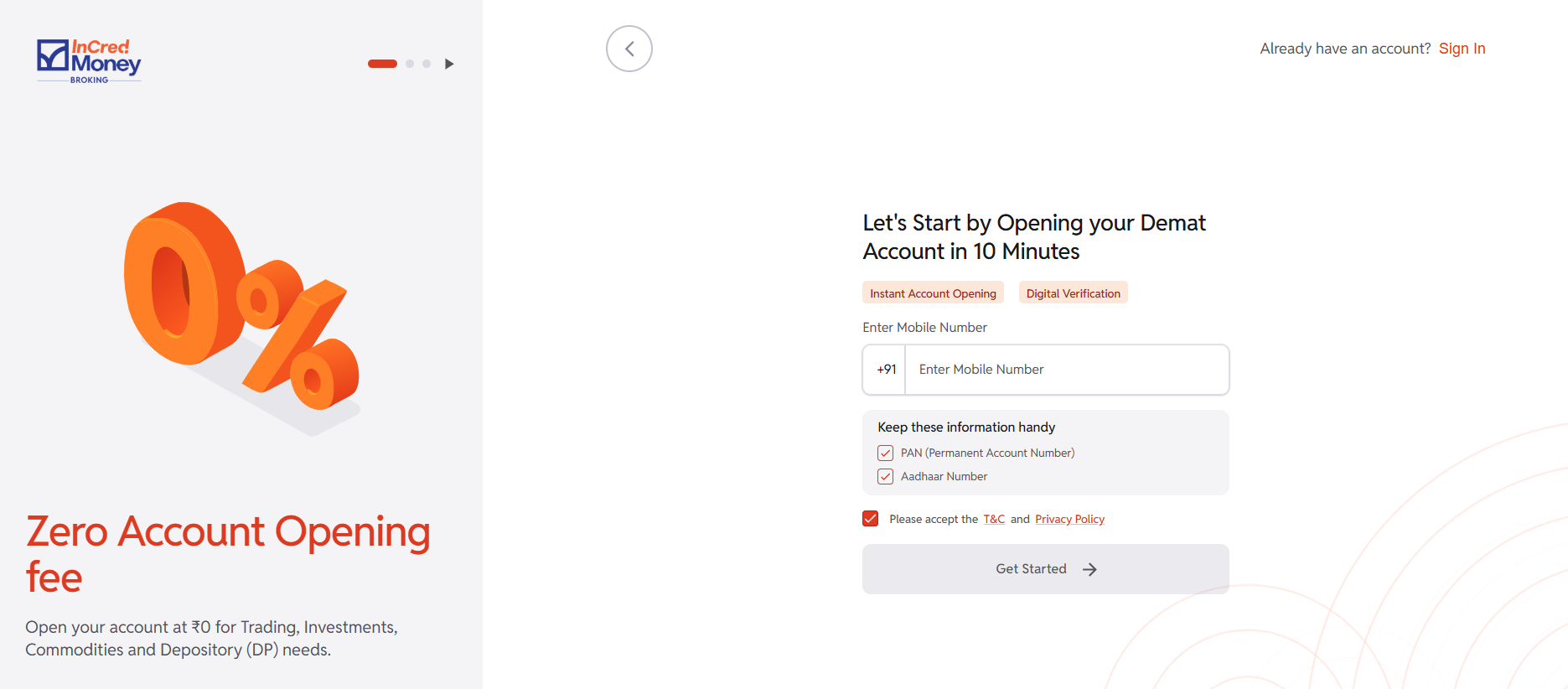
Enter your Mobile Number >> Verify via OTP.
Step 3
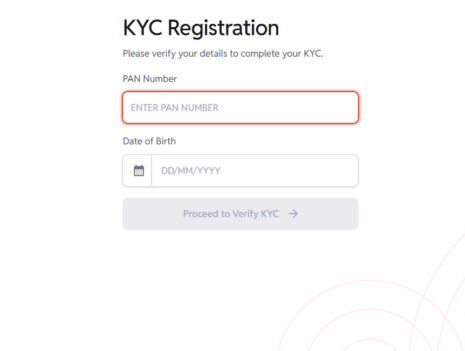
KYC Registration >> Submit your PAN and Date Of Birth
Step 4
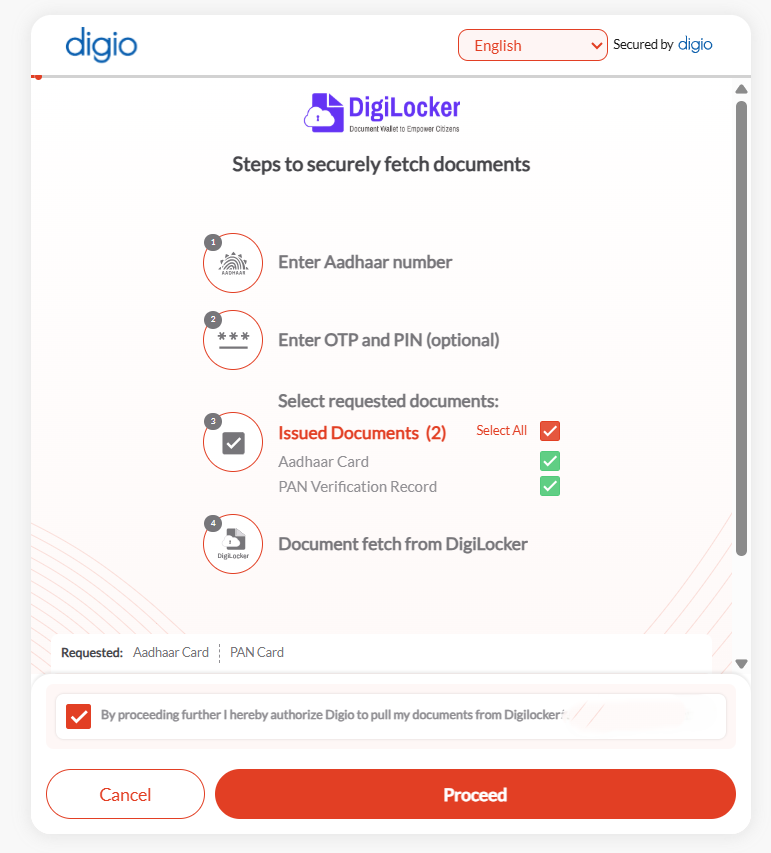
Complete the DigiLocker Process via your Aadhaar Based OTP.
Step 5
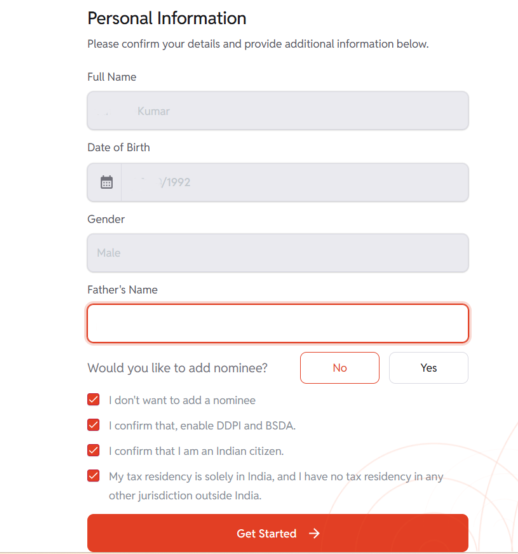
Personal Information >> Enter Father’s Name.
Note:- You can choose the option of Opting Nominee or No Nominee from this window.
Step 6
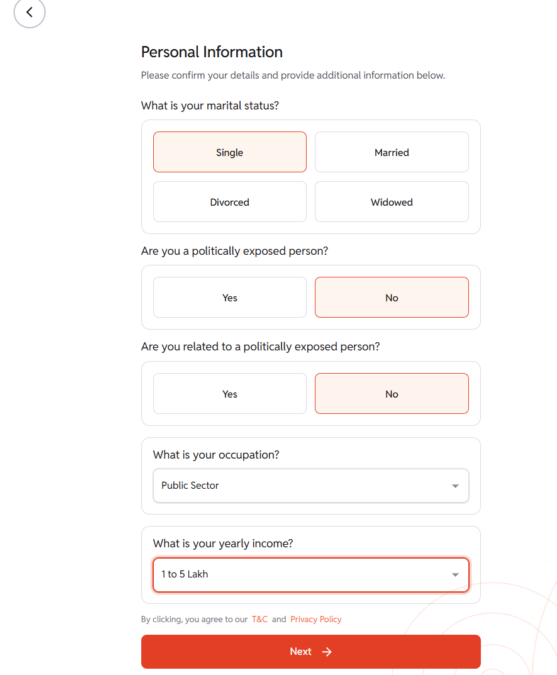
Submit Personal Information.
Step 7
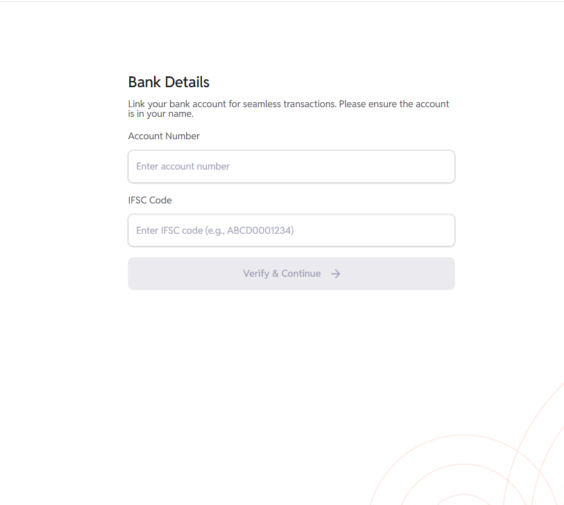
Bank Details >> Enter Bank Account Number and IFSC Code.
Step 8
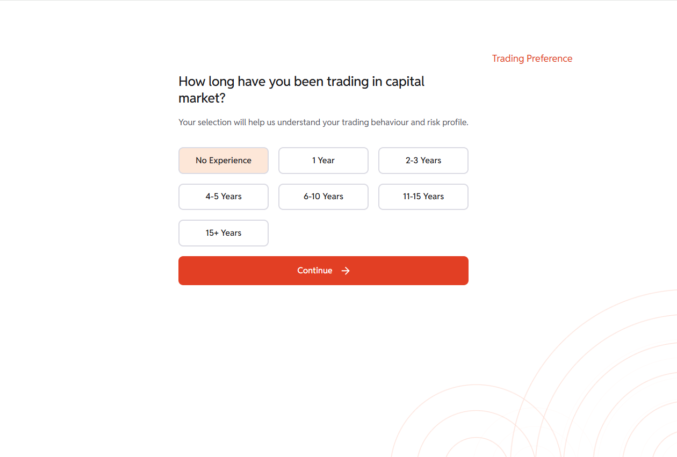
Submit your Trading Experience.
Step 9
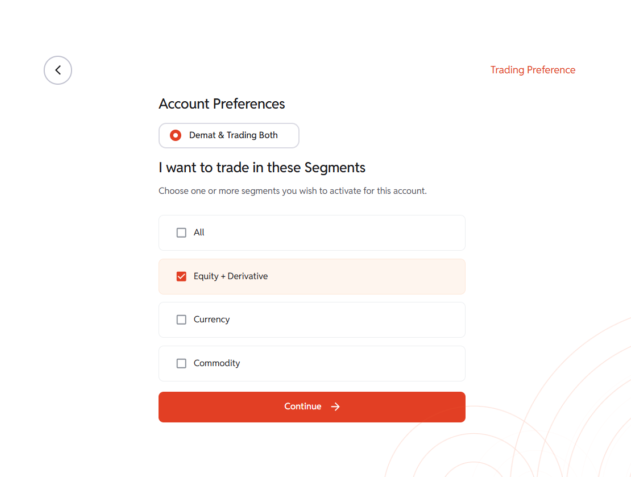
Select your Account Preference.
Step 10
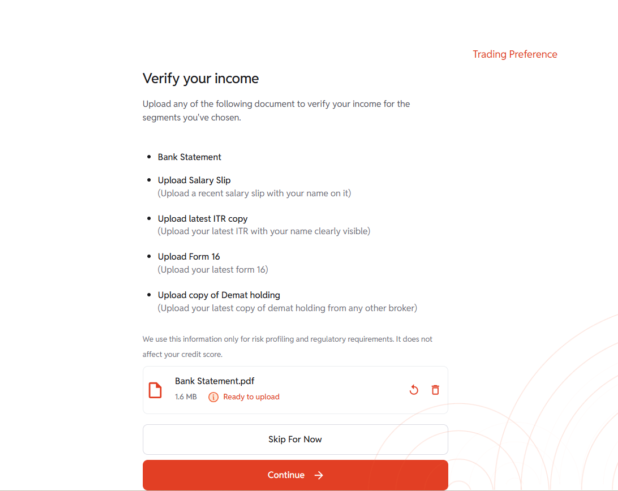
Upload your Income Proof (Any one of the mentioned proof).
Step 11
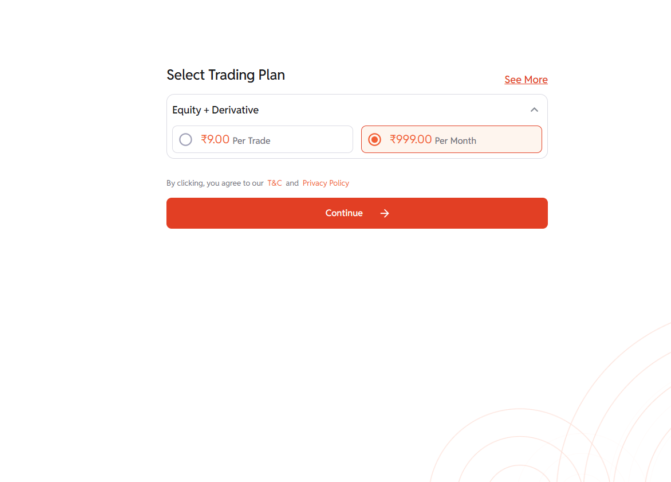
Select Brokerage Plan.
Step 12
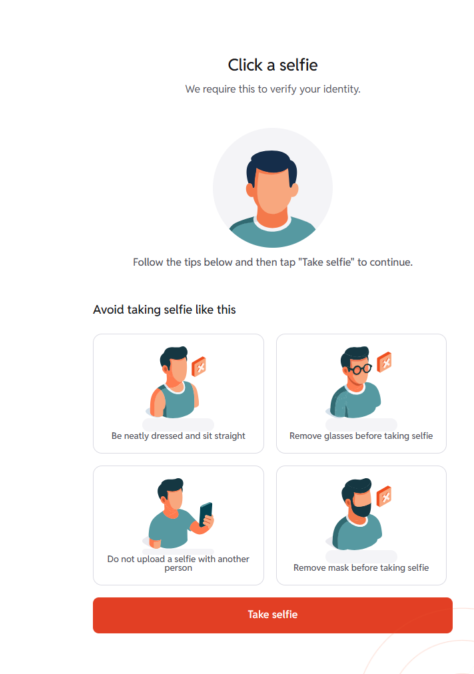
Click a Selfie.
Step 13
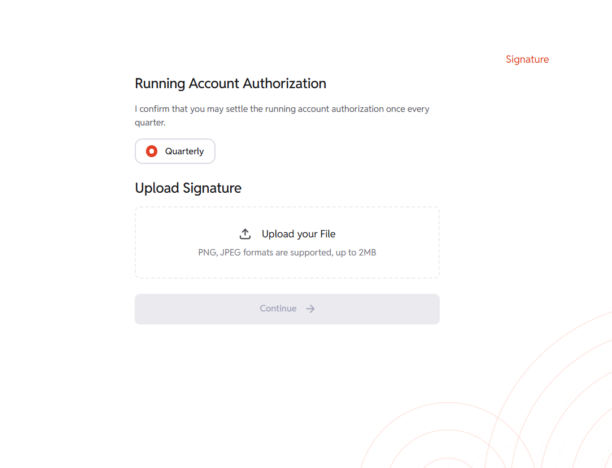
Upload Signature Image.
Step 14
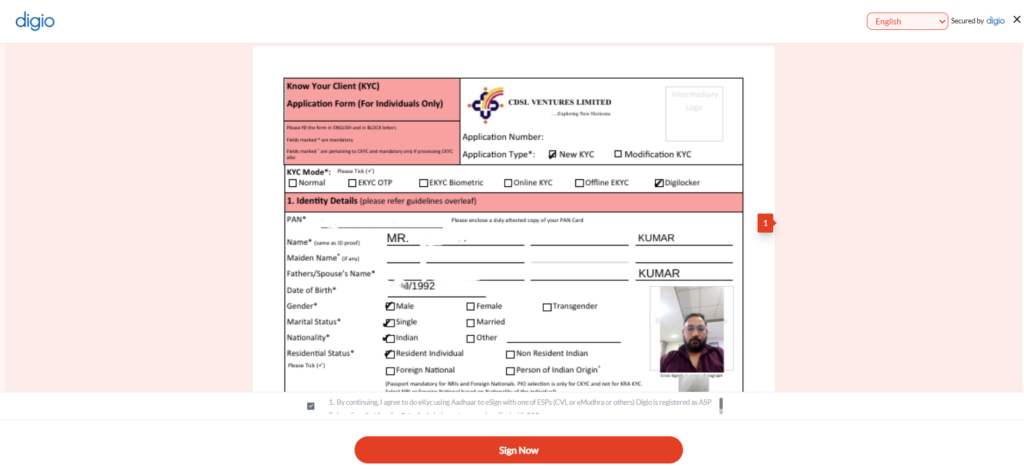
Complete the KRA+KYC E-sign process via your Aadhaar Based OTP.
Step 15
Your account opening process is now complete.
Note:- Account opening information will be sent to you via Mail & SMS within 24 to 48 working hours.