
To Apply Charts & indicators kindly follow below-mentioned steps.
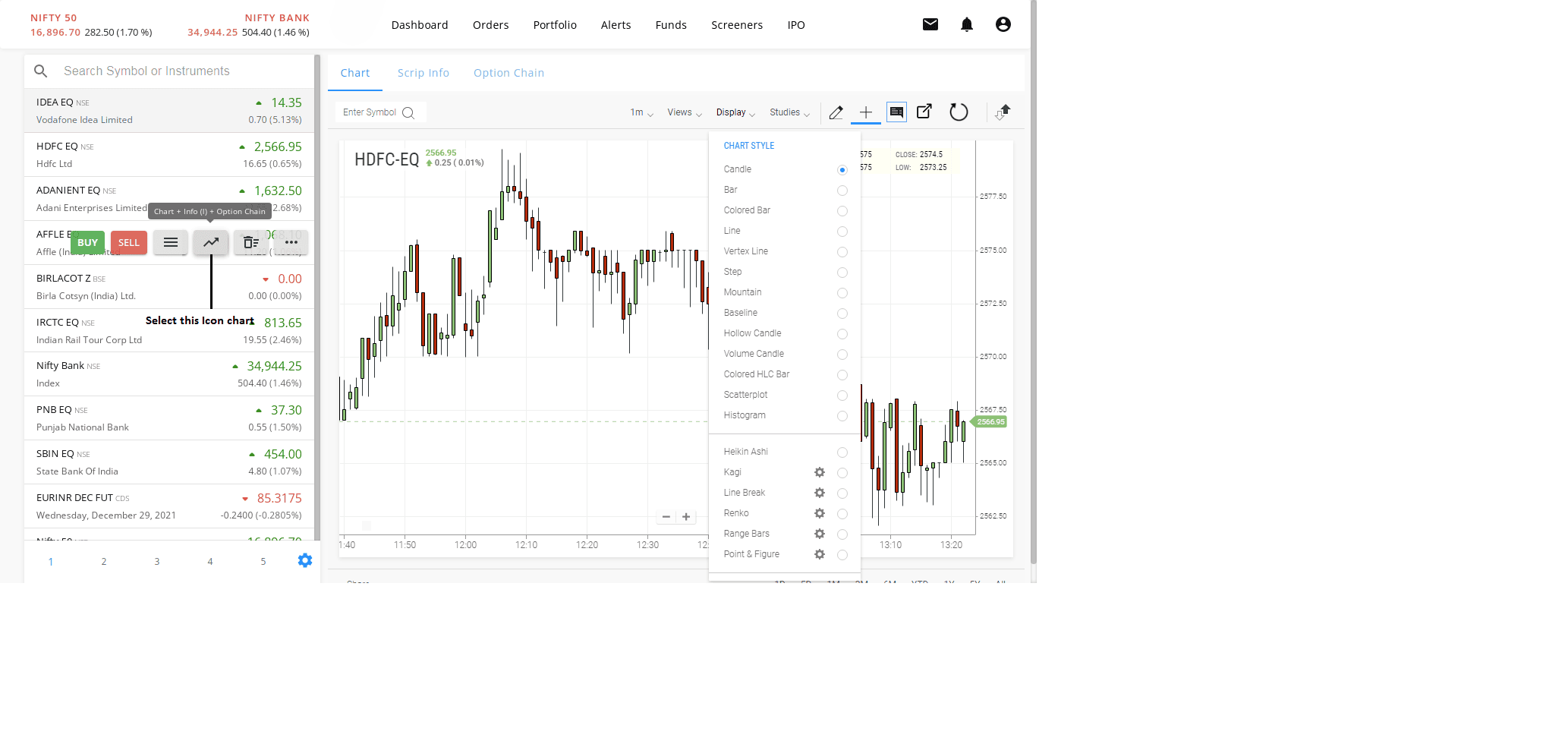
1. Apply Chart to your screen
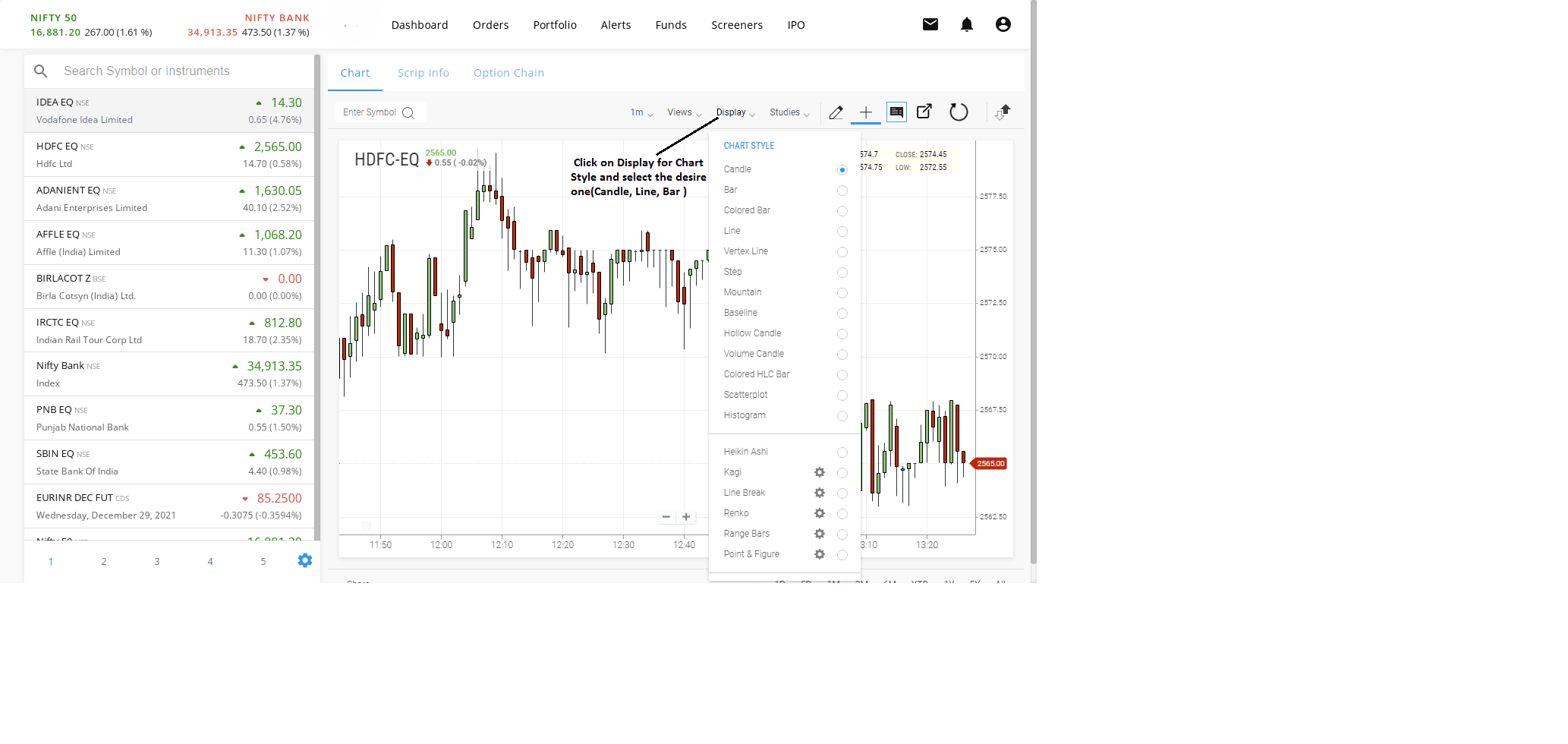
2. Click on Display for Chart Style and select the desire one(Candle, Line, Bar )
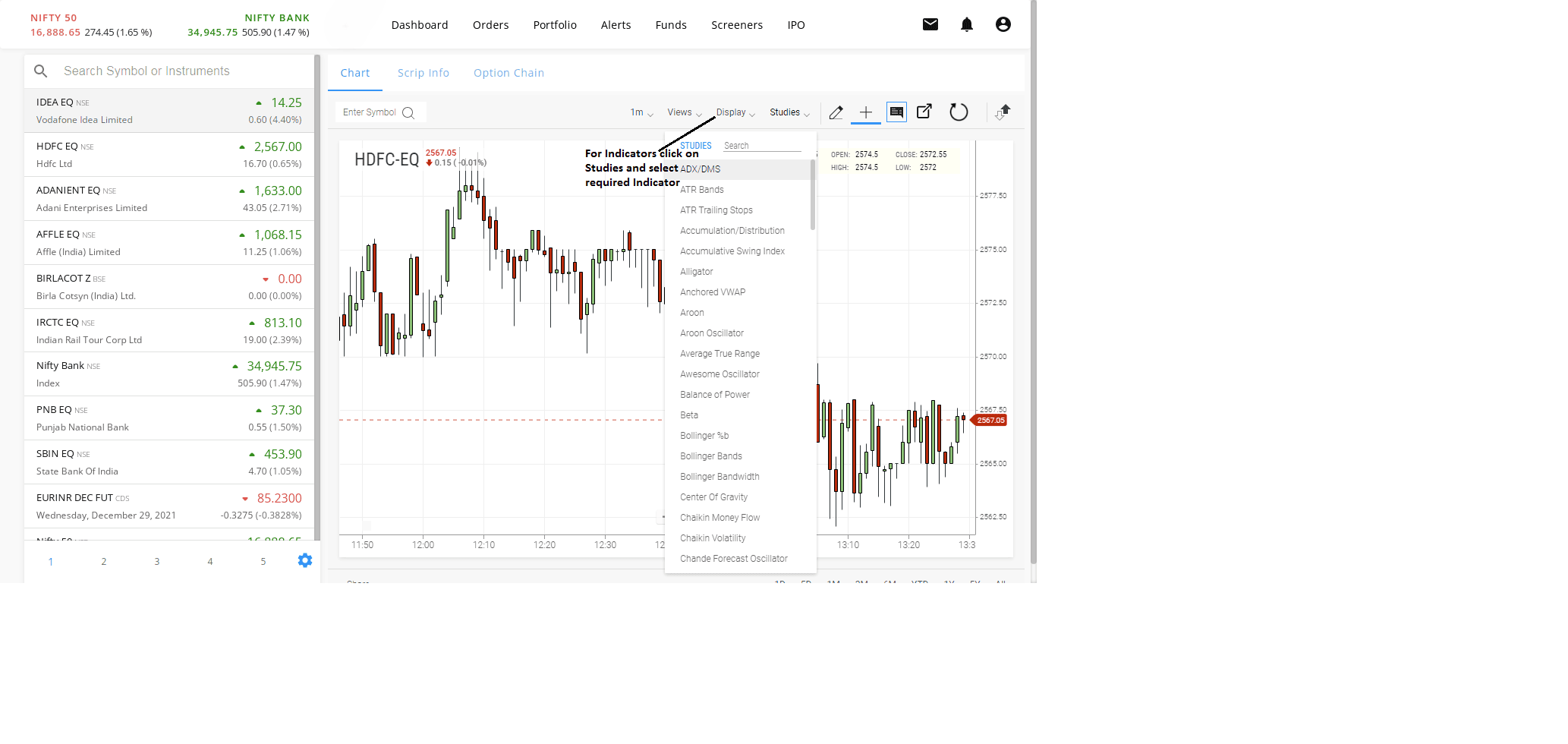
3. For Indicators click on Studies and select required Indicator

To Apply Charts & indicators kindly follow below-mentioned steps.
1. Apply Chart to your screen
2. Click on Display for Chart Style and select the desire one(Candle, Line, Bar )
3. For Indicators click on Studies and select required Indicator
