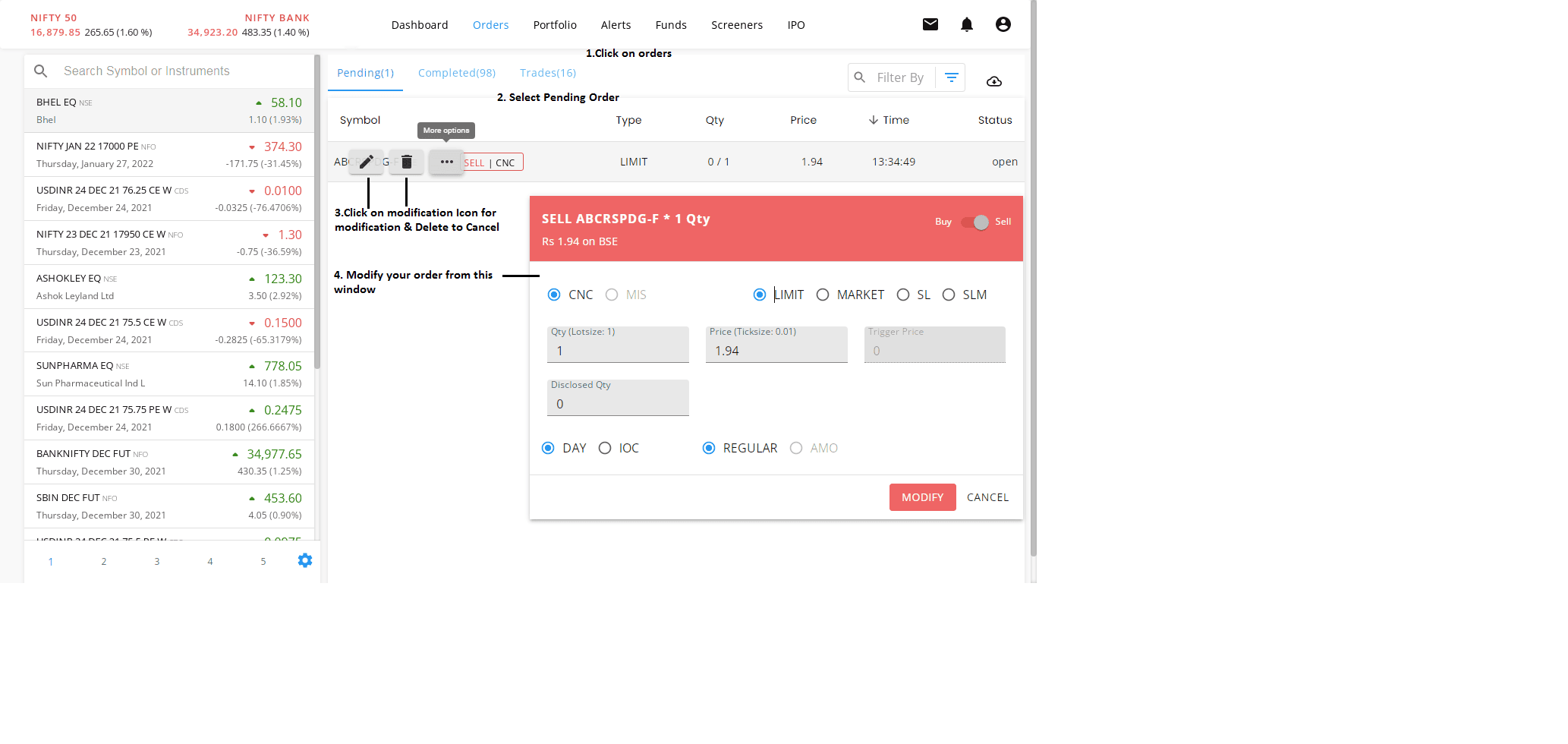

To view your Order Book and modify or cancel orders, follow the steps below:
- Log in and click on “Orders”: Here, you can check both your pending and completed orders.
- To modify an order: Click on the Edit icon. A modification window will appear, allowing you to update your order.
- To cancel an order: Click on the Delete icon to cancel the order.