
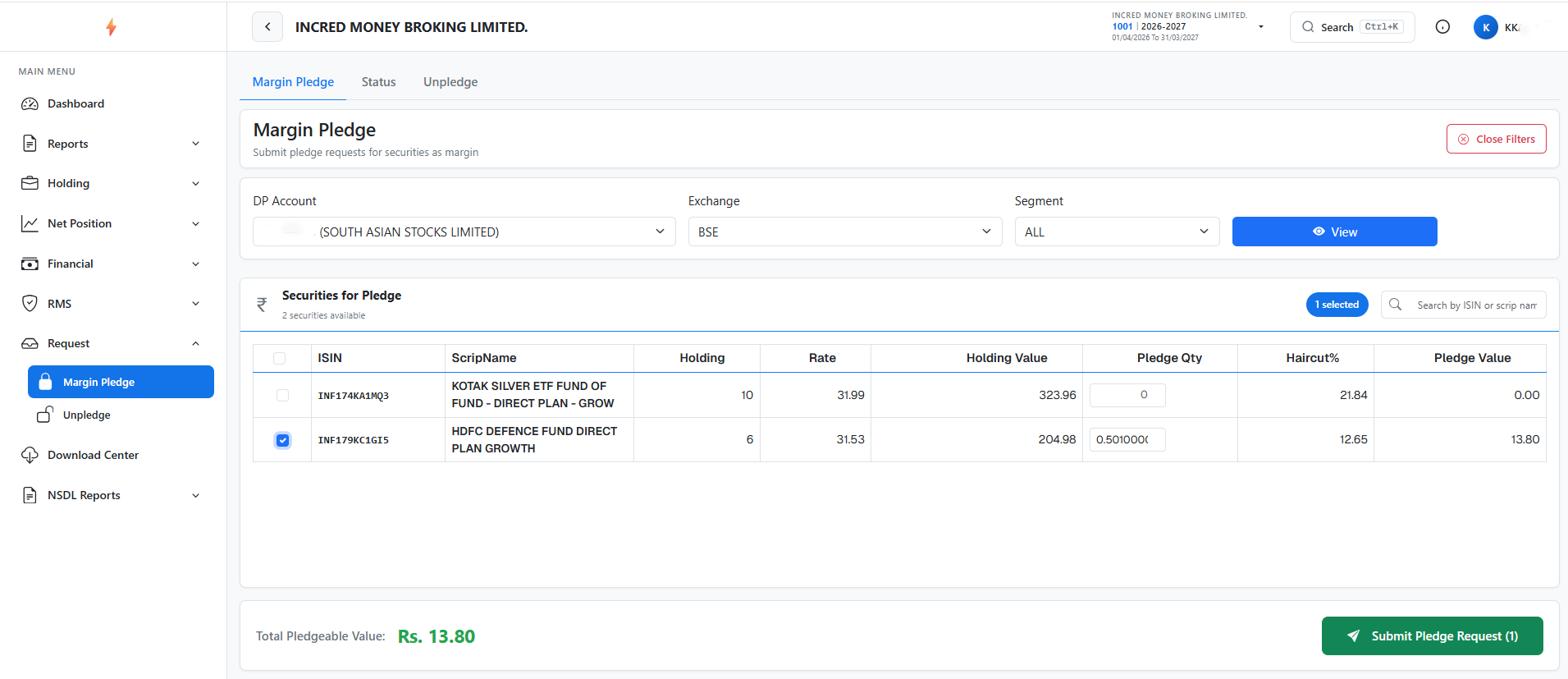
To submit shares pledge request, kindly refer to the “Margin Pledge” section under “Request” on the Back Office Portal.
1 – Enter the Request Quantity and click on Submit Pledge Request Tab (Please be assured that your browser POP-UP is enabled to approve pledge request instantly).
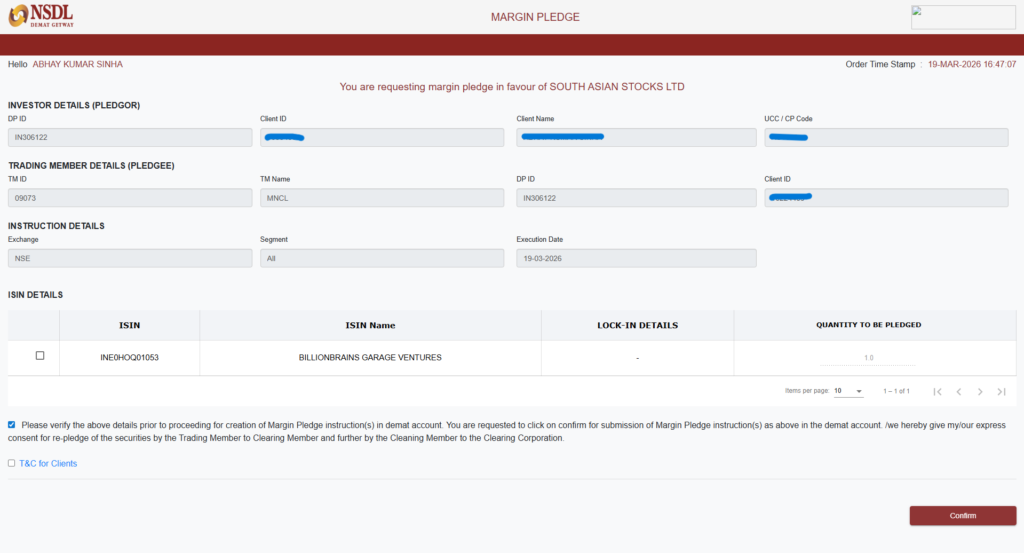
2 – If your browser POP-UP is enabled, then this NSDL window will open after click on Submit Tab.
# Tick on respective holding shares and confirm via OTP.
Note:
1 – All pledge requests received by 5 PM will be processed on the same day. If the client completes the OTP process by 6:30 PM, they will receive collateral starting the next day for trading. If the request is completed later, the client will receive the collateral benefit the day after.
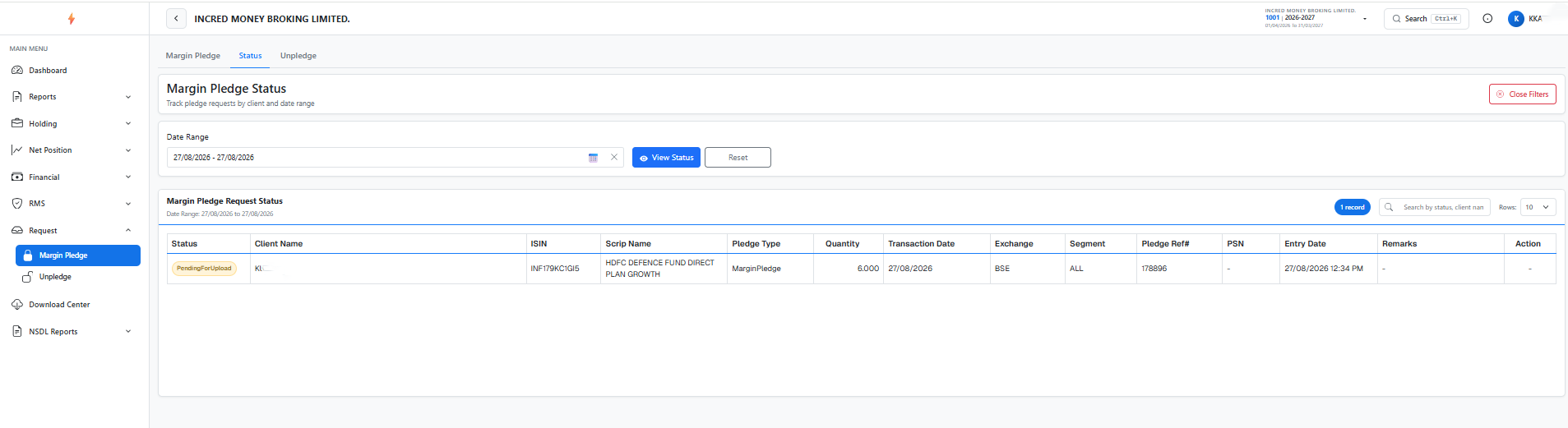
Kindly note that you can also check your request status by clicking on “Status” Tab after submitting of your share pledge request.
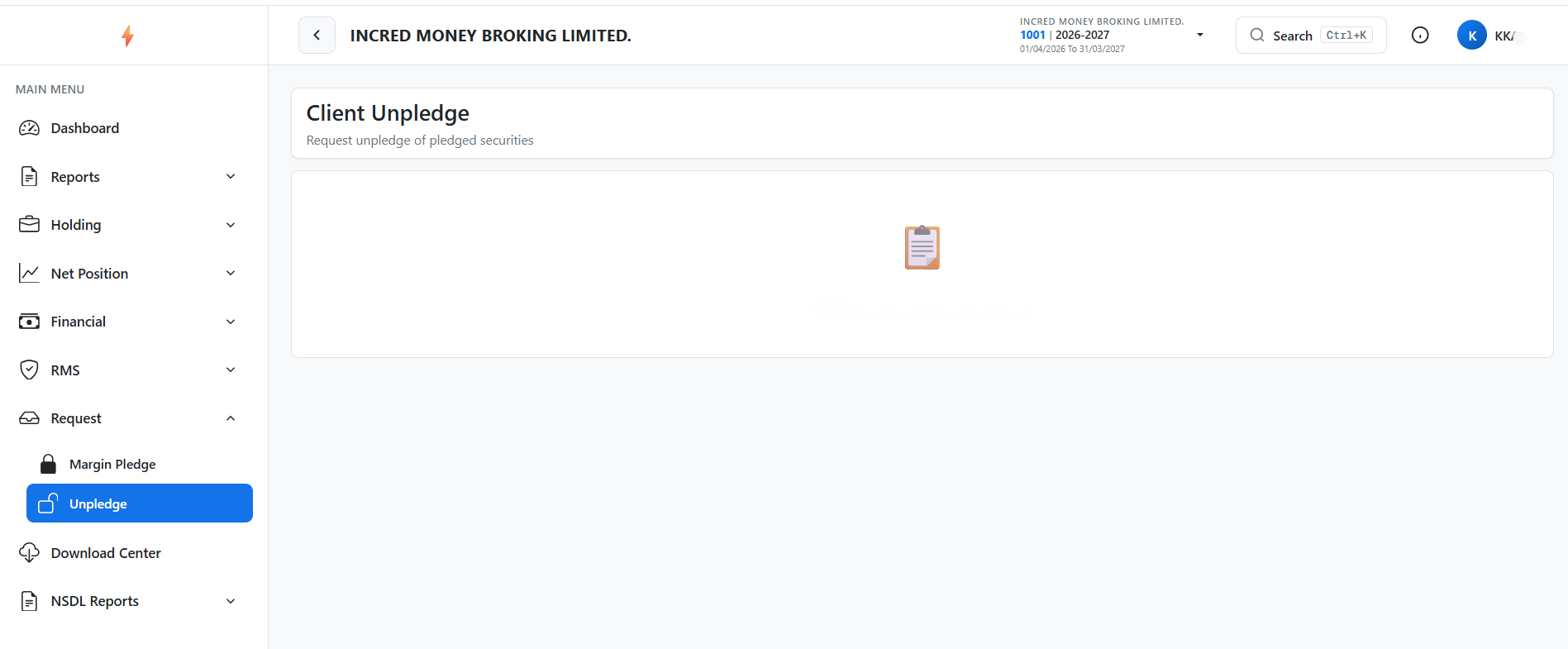
To submit shares Unpledge request, kindly refer to the “Unpledge” section under “Request”.