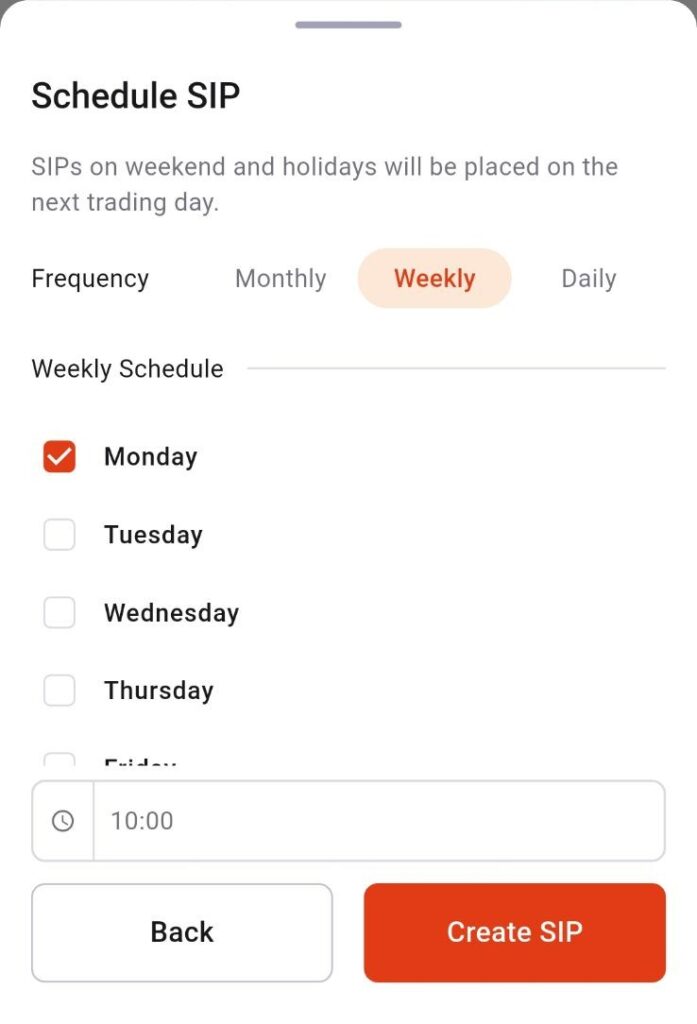

Scheduled your Stock SIPs.
Automate your equity investments by setting up daily, weekly, or monthly Stock SIPs. Your investments will execute automatically on schedule, allowing you to build your portfolio consistently in the background without manual intervention.
To place Stock SIP orders via the InCred Money Broking App, please follow these steps:-
1 – Login InCred Money Broking App
2 – Click on SIP >> Create SIP.
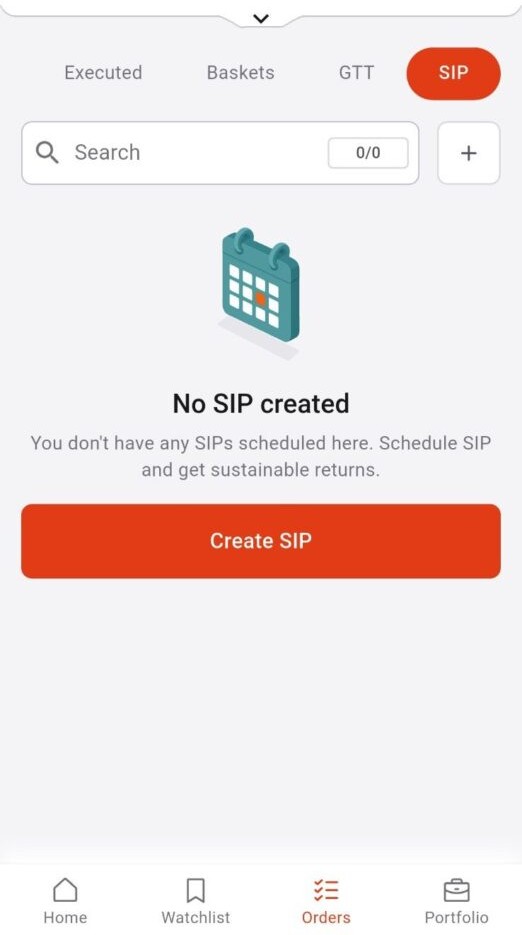
3 – Create Stock SIP.

4 – Schedule you SIP (Monthly/Weekly/Daily) >> Create SIP.