

In accordance with the exchange circular on the Implementation of Two Factor Authentication, it is mandatory to have two levels of authentication on the trading platform.
To meet this requirement, a Time-Based One-Time Password (TOTP) has been introduced on the InCred Money Broking web portal. For more information on TOTP, please click HERE.
Please follow the steps below for TOTP-based login on the InCred Money Broking web portal:
Step 1: Log in to the InCred Money Broking web portal using your existing password.
Step 2: Enter your 2FA answers to proceed.
Step 3: Scan the QR code using an authenticator app on your mobile phone. Supported apps include Google Authenticator is available on Google Play Store, Microsoft Authenticator is available on the Google Play store, Authy is available on the Google Play store or any other authenticator app of your choice
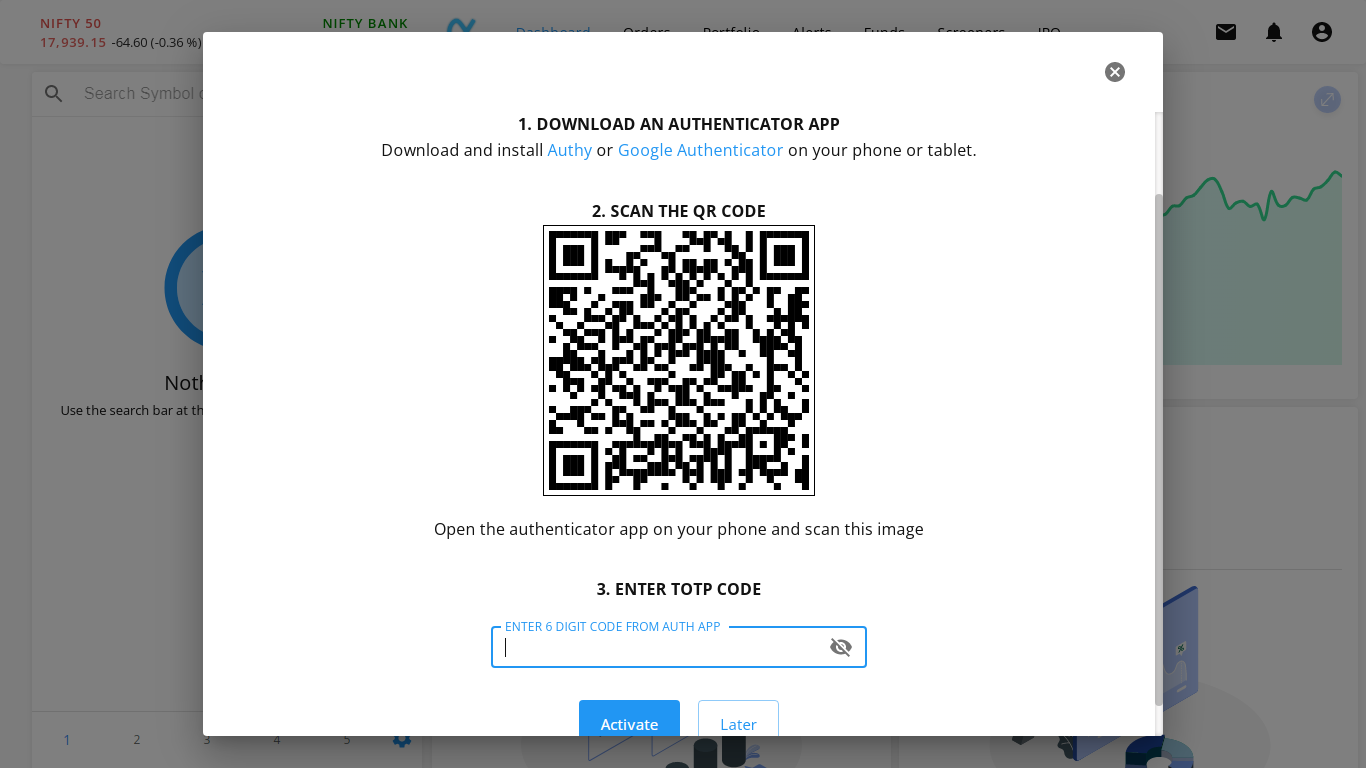
Step 4: Check the TOTP on your authenticator app and enter the code. (A new OTP is generated every 30 seconds.)

The next time you log in, the InCred Money Broking web portal will prompt you to enter the TOTP after your login password.
