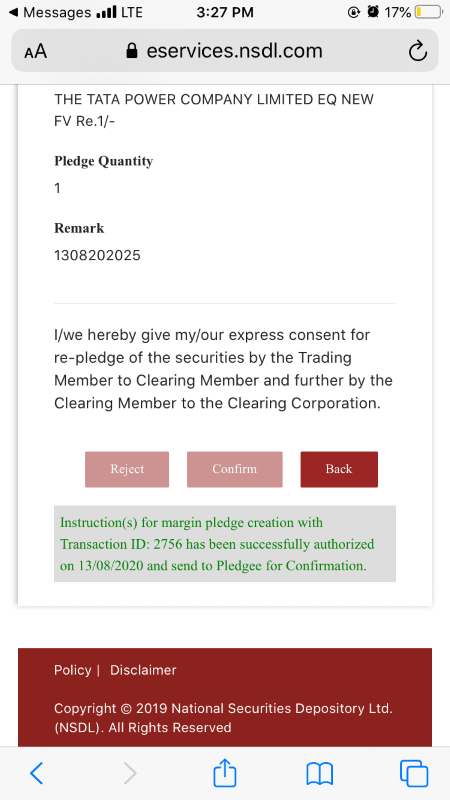
As per the SEBI Circular, a few additional steps have been added to the pledging process for investor protection. In the new pledge system, shares will now be blocked in the client’s Demat account only.
The new pledging process will now be in two parts:
- First, you need to submit a pledge request via the Back Office. Kindly refer to this LINK for more information on how to place a pledging request for Equity Segment. To pledge holdings for the commodity segment, please send a request from your registered email ID to support@stocko.in mentioning the security symbol and Quantity.
- Once your request is initiated by the Stocko team, you will receive an Email and SMS for approval from NSDL. Kindly follow the process below to authorize your pledging request.
You can also check and approve your pending pledging requests directly on the NSDL Portal by referring to this LINK.
Note:
- All pledge requests received by 5 PM will be processed on the same day. If the client completes the OTP process by 6:30 PM, they will receive collateral starting the next day for trading. If later, the client will receive the collateral benefit the day after.
- All pledge requests will be canceled after 9 PM if not approved via NSDL OTP, and the client will need to submit a fresh request.
- There is no need to un-pledge shares before selling them. Once sold, the shares will be automatically un-pledged and marked for pay-in.
A. Kindly Click on the link provided on SMS/Email.

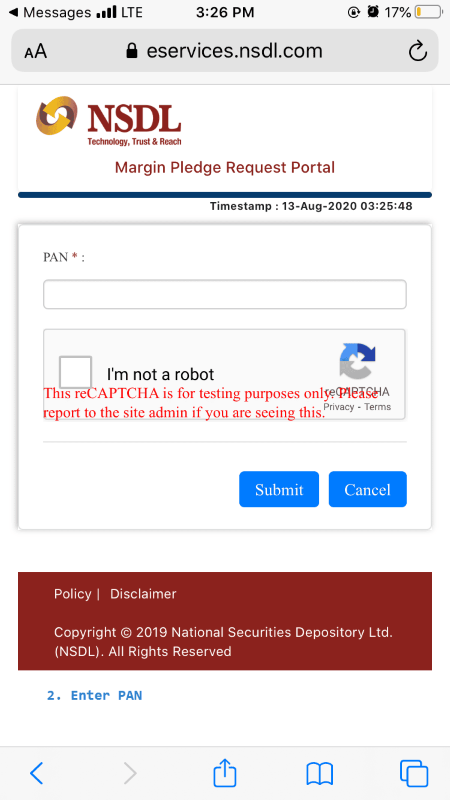
B. Submit your PAN and CAPTCHA
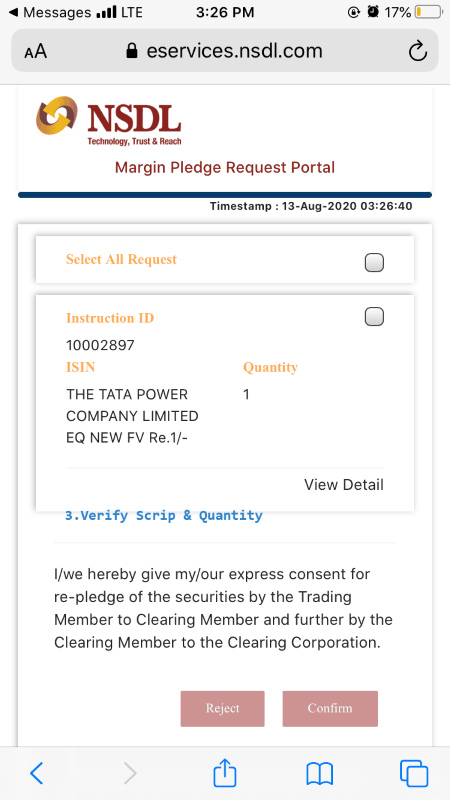
C. Verify your Scrip code and Quantity and click on confirm
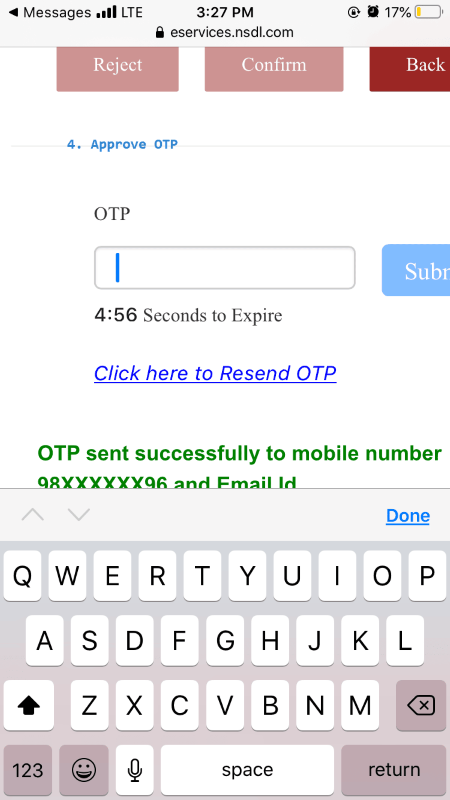
D. Enter the OTP which is sent to your mobile & Email within a given time period.
E. You will get confirmation that your request is initiated